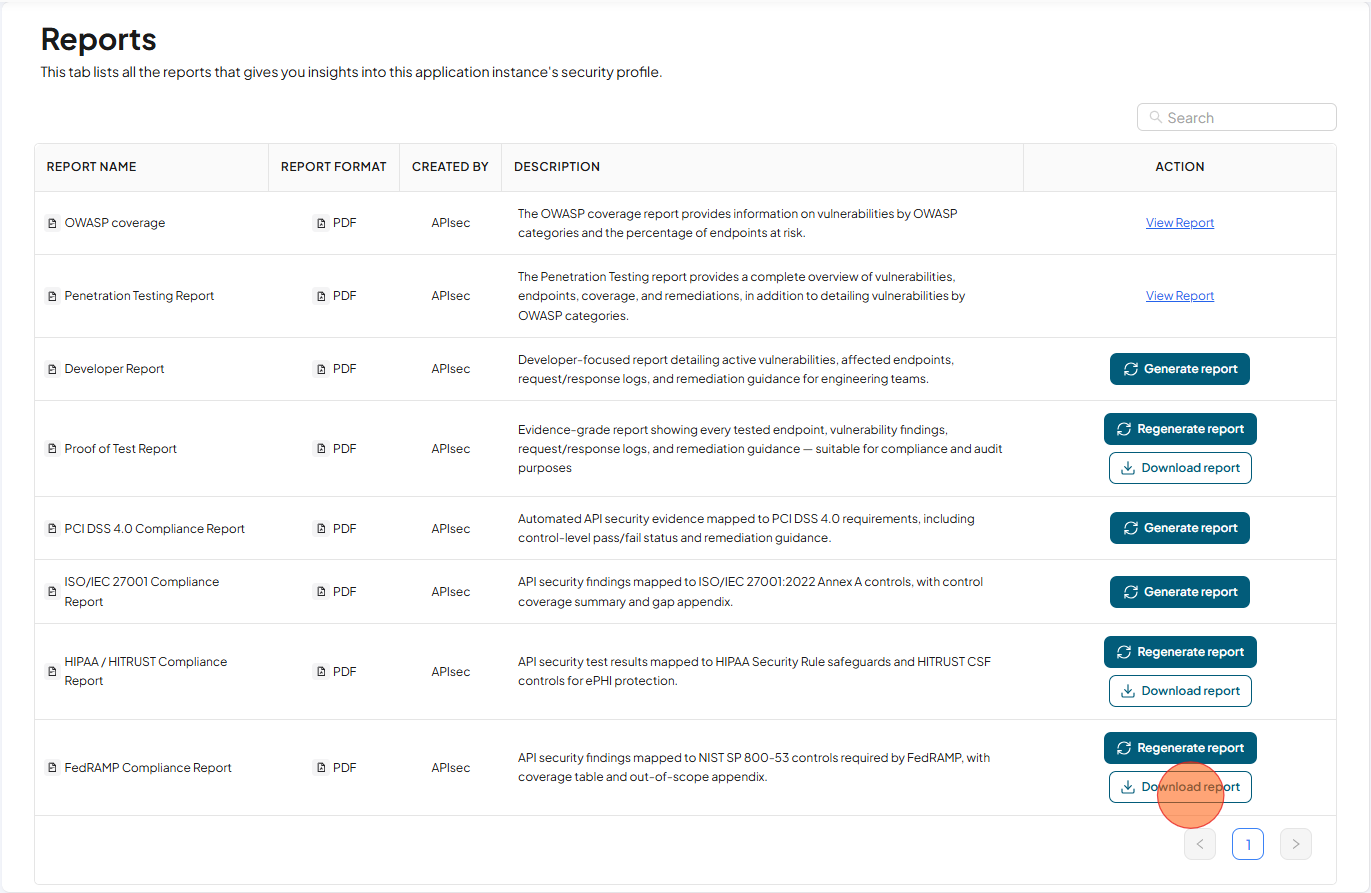
FedRAMP Compliance Report
API security findings mapped to NIST SP 800-53 controls required by FedRAMP, with coverage table and out-of-scope appendix.
Download FedRAMP Compliance Report
-
Open your browser and visit: https://<your-tenant>.apisecapps.com
-
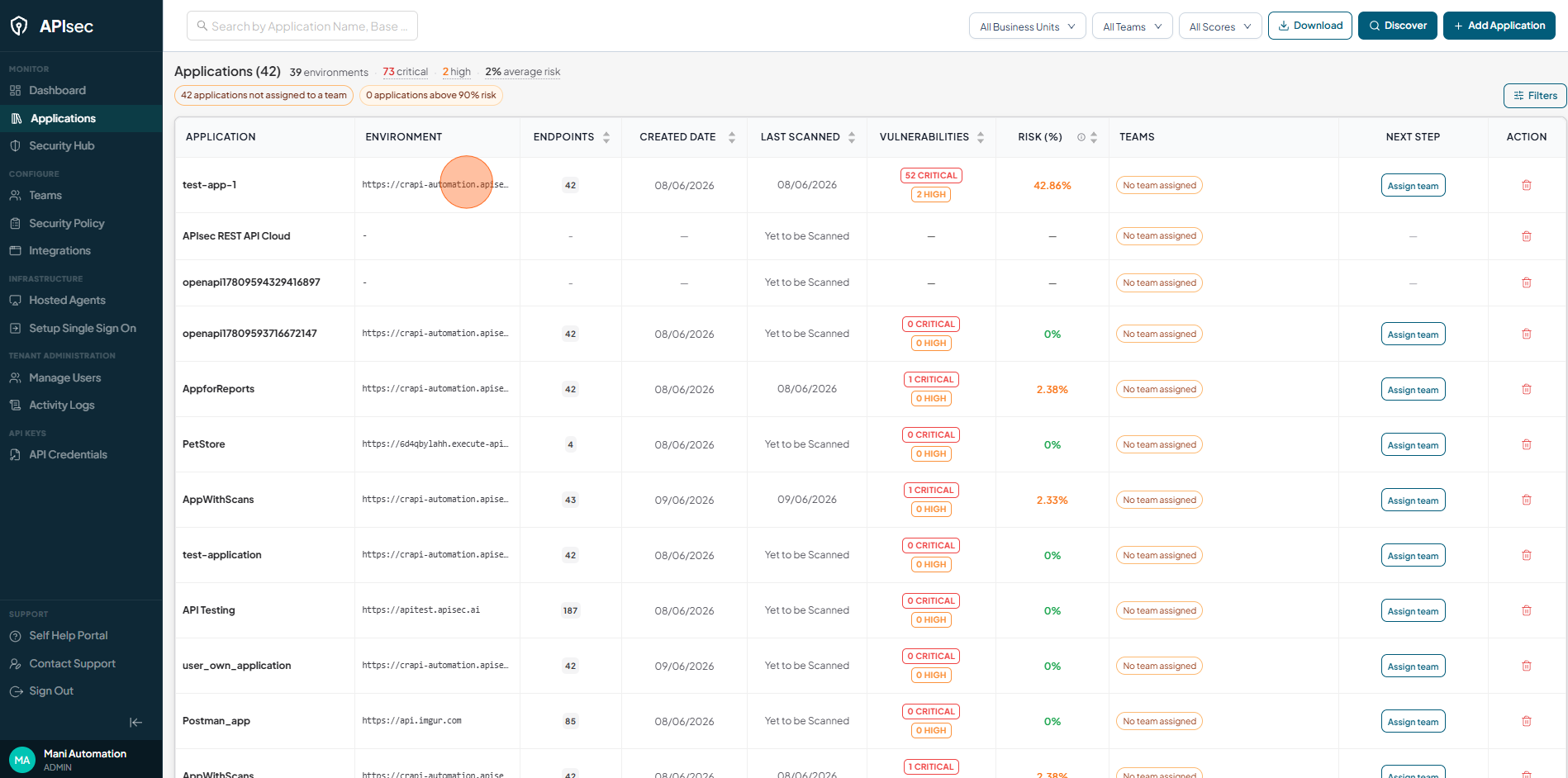
Click the required application.
-
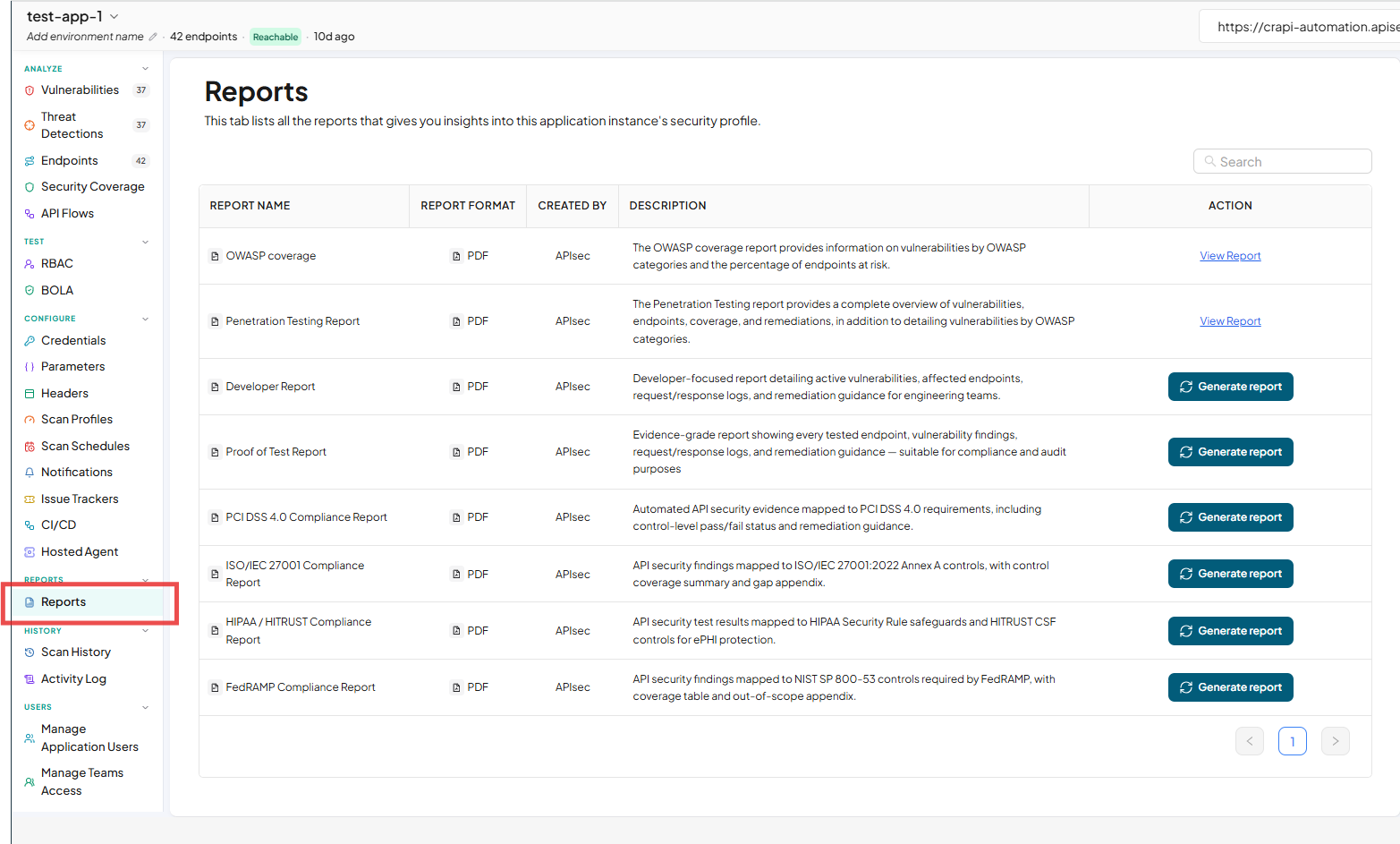
Click "Reports" present in the side navigation.
-
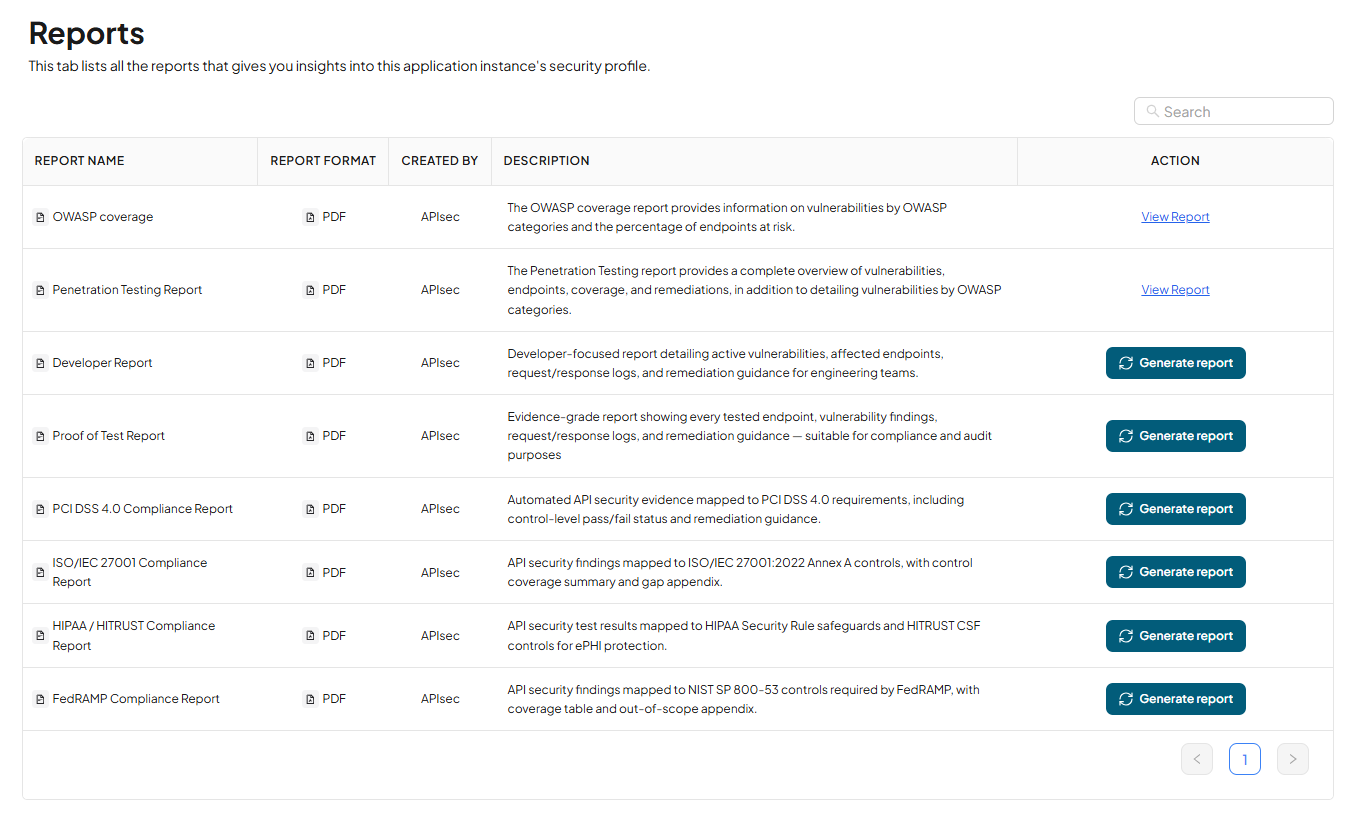
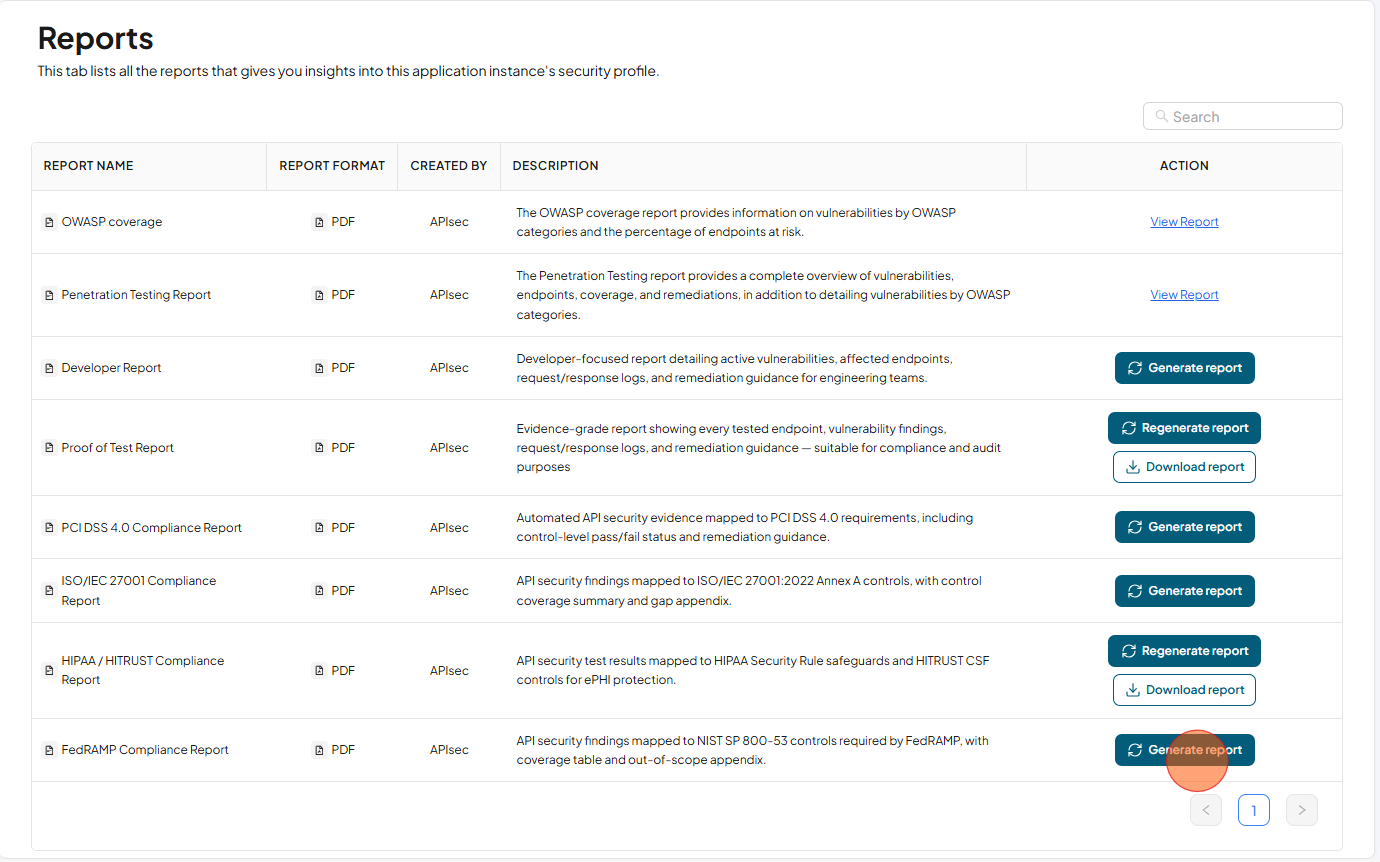
Now you will see list of all the reports that gives you insights into this application instance's security profile.
-
Click Generate Report in the FedRAMP Compliance Report row to generate the report.
-
After Report generated, Click Download Reports in the FedRAMP Compliance Report row to download the report