Hosted Agent quickstart
APIsec's cloud cannot reach APIs that live only inside your network. A Hosted Agent solves that: it is a small APIsec worker that runs on a server in your environment, so scans can reach those internal-only APIs. The agent makes outbound-only connections to APIsec — nothing inbound is opened.
This quickstart takes you from creating the agent in the console to watching it report ACTIVE.
This page is written for a security practitioner rolling out APIsec. You create the agent and download its installer in the console yourself. Running the installer needs shell access to a server in your network — if that is someone else's job, the checklist below is what to hand your infrastructure or DevOps team.
Prerequisites
The agent runs as a Docker container on a server you control. Ask your infrastructure team for a host that meets all of these:
- A server inside the same network as the internal APIs you want to scan.
- Docker installed and running on that server.
- Outbound HTTPS (TCP 443) allowed from that server to the APIsec platform. No inbound access is required.
You also need an APIsec console login authorized to manage agents. An Admin can manage agents for the account; a non-admin User can create a private agent visible only to them.
Step 1 — Create the agent
- In the console, open Hosted Agents and click New Hosted Agent. A wizard opens with the header Setting up Hosted Agents.
- In the Name field, enter a name for the agent, then click Create Hosted Agent.
For the full click-path, see Manage Hosted Agents.
Step 2 — Download the installer
The wizard asks where you will run the agent. Choose the tile that matches your host, then click Download Installation Instructions:
- Docker / Linux Version — the default path, covered by this quickstart.
- Docker / Windows Version.
- Kubernetes / Linux Version is shown but disabled in the wizard. To run on a cluster, follow Deploy on Kubernetes instead.
The downloaded file is a ready-to-run deployment script, with your account's configuration values already filled in. There is nothing to edit. On the final screen, click Finish.
The downloaded file has your account's identity and access token baked in. Treat it like a secret — do not commit it or share it.
Step 3 — Run the installer on your host
Run the downloaded file on the server from your checklist. Use <downloadedfile> as the placeholder for the file's name.
For Docker / Linux, the file is a .sh bash script. Make it executable and run it:
chmod +x <downloadedfile>.sh
./<downloadedfile>.sh
Before it starts the container, the script confirms the host can reach the platform on outbound TCP 443, then confirms Docker is installed. If an agent is already running on this token, it asks before starting a second instance. To skip that prompt — for example, in automation — pass -y (or set APISEC_AGENT_ASSUME_YES=true):
./<downloadedfile>.sh -y
For Docker / Windows, the file is a .ps1 PowerShell script instead. Run it with .\<downloadedfile>.ps1 (add -y, or set $env:APISEC_AGENT_ASSUME_YES="true", to skip the prompt).
Step 4 — Watch it go ACTIVE
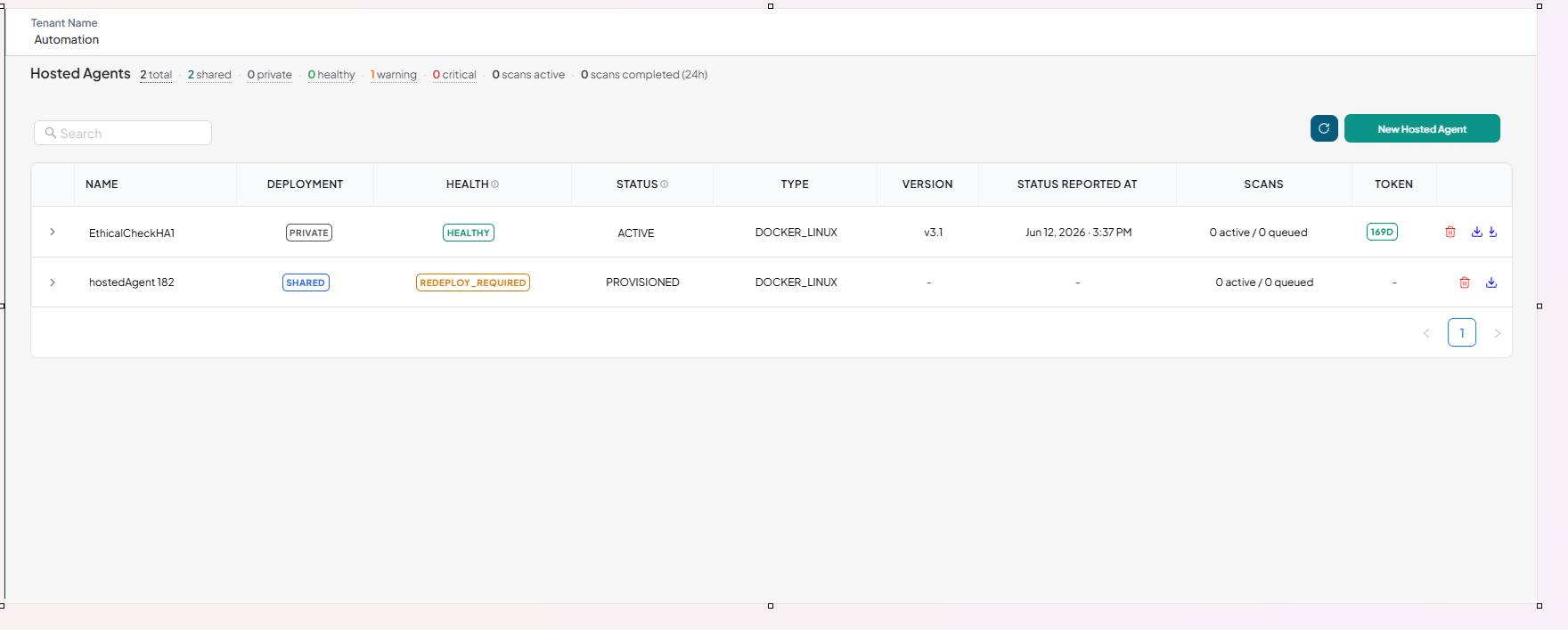
Back in the console, find the agent in the Hosted Agents table. Its STATUS changes from PROVISIONED (set up, not yet running) to ACTIVE (running and connected) once the container starts and reports in.
To confirm the container on the host itself:
docker ps --filter "name=apisechostedagent"
Once the agent is ACTIVE, it polls the platform for work. When you assign it to a scan, it runs the test requests against your internal APIs from inside your network.
Troubleshooting
If the agent never reaches ACTIVE, the two most common causes are the checks the script runs first:
- No outbound reachability to the platform on TCP 443.
- Docker not installed or not running.
For anything else, see Troubleshooting.
Next steps
- Understanding the Hosted Agent — the outbound-only model, tokens, and how scans flow.
- Deploy with Docker — the full deployment guide, including every check the script runs.
- Deploy on Kubernetes — run the agent on your cluster instead.
- Scale with replicas — add parallel capacity with more containers.