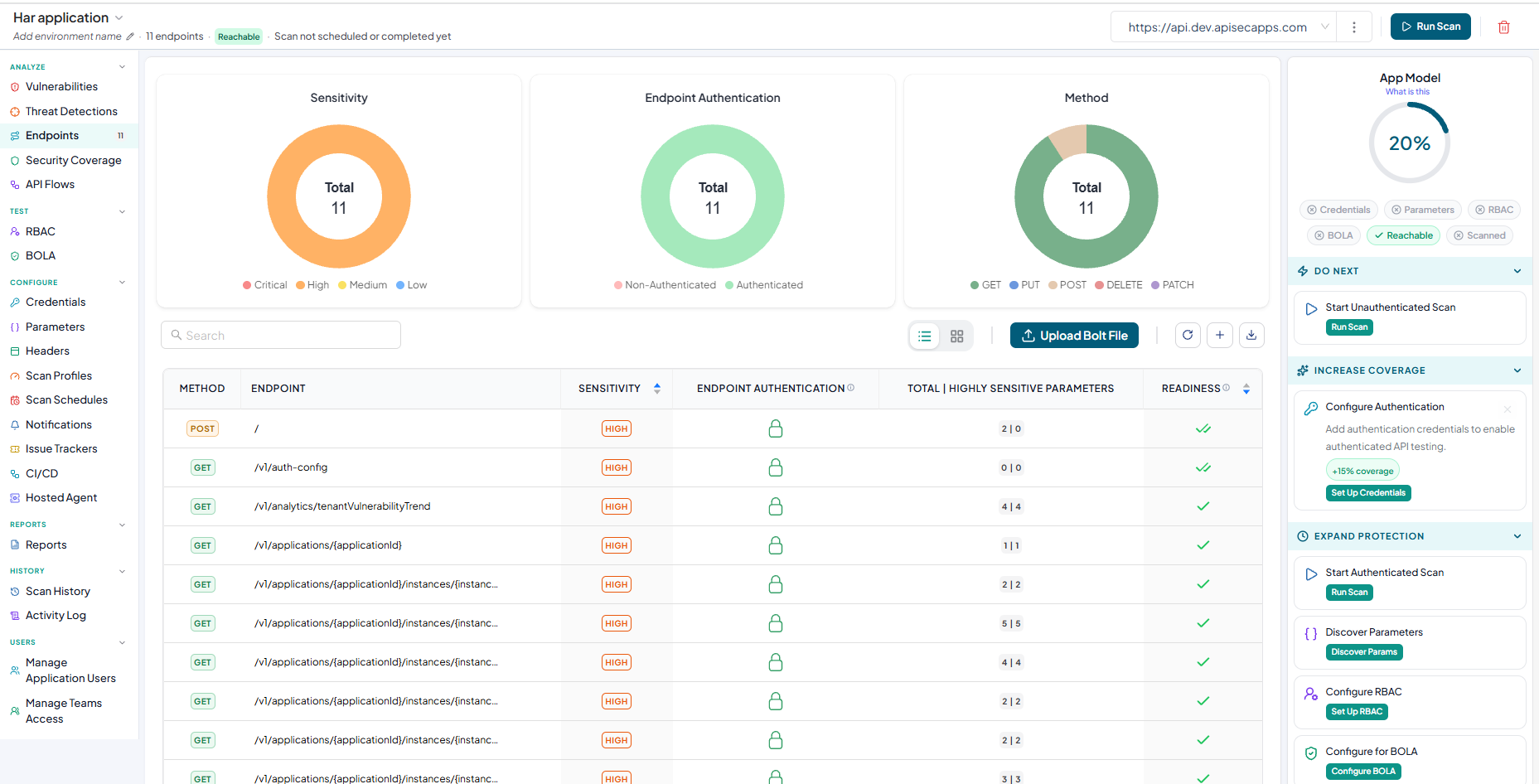
Onboard an API from a HAR file
A HAR (HTTP Archive) file is a JSON-formatted file that captures network traffic between a web browser and an application. It records details about HTTP requests and responses, including endpoints, request methods, headers, parameters, and payloads.
Add a HAR application
-
Navigate to URL
Open your browser and visit: https://<your-tenant>.apisecapps.com
-
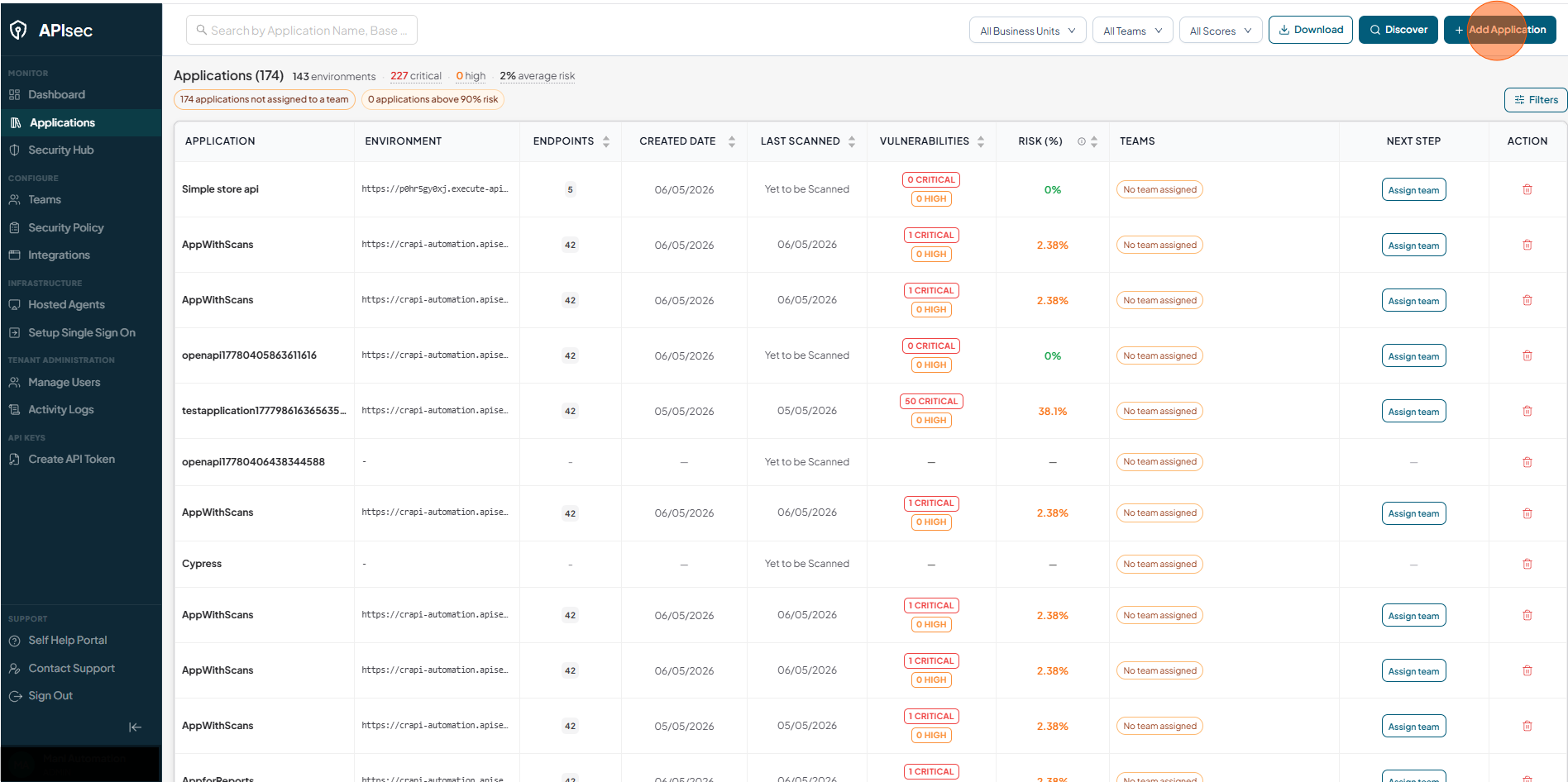
Click Add Application
-
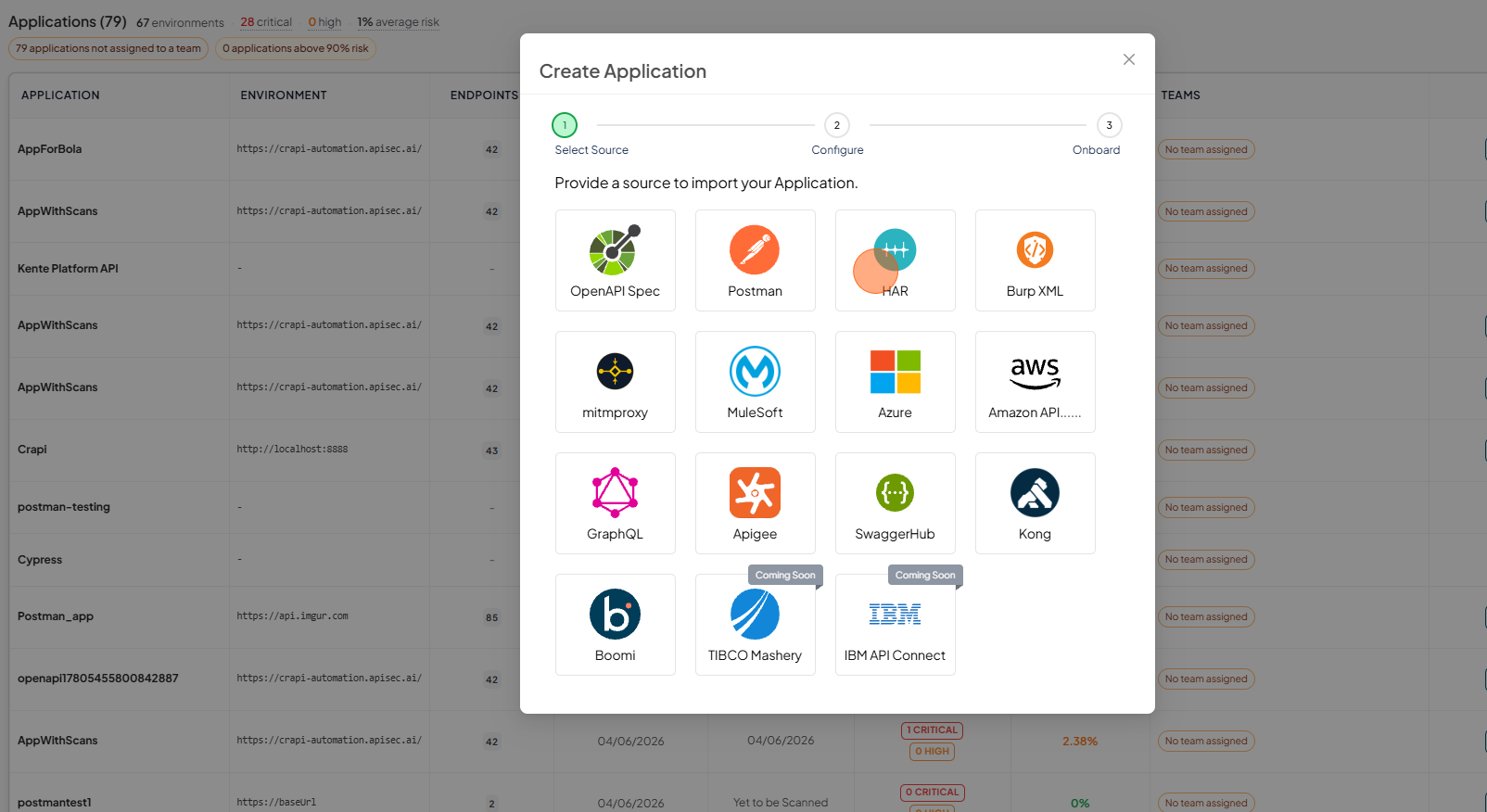
Select HAR
-
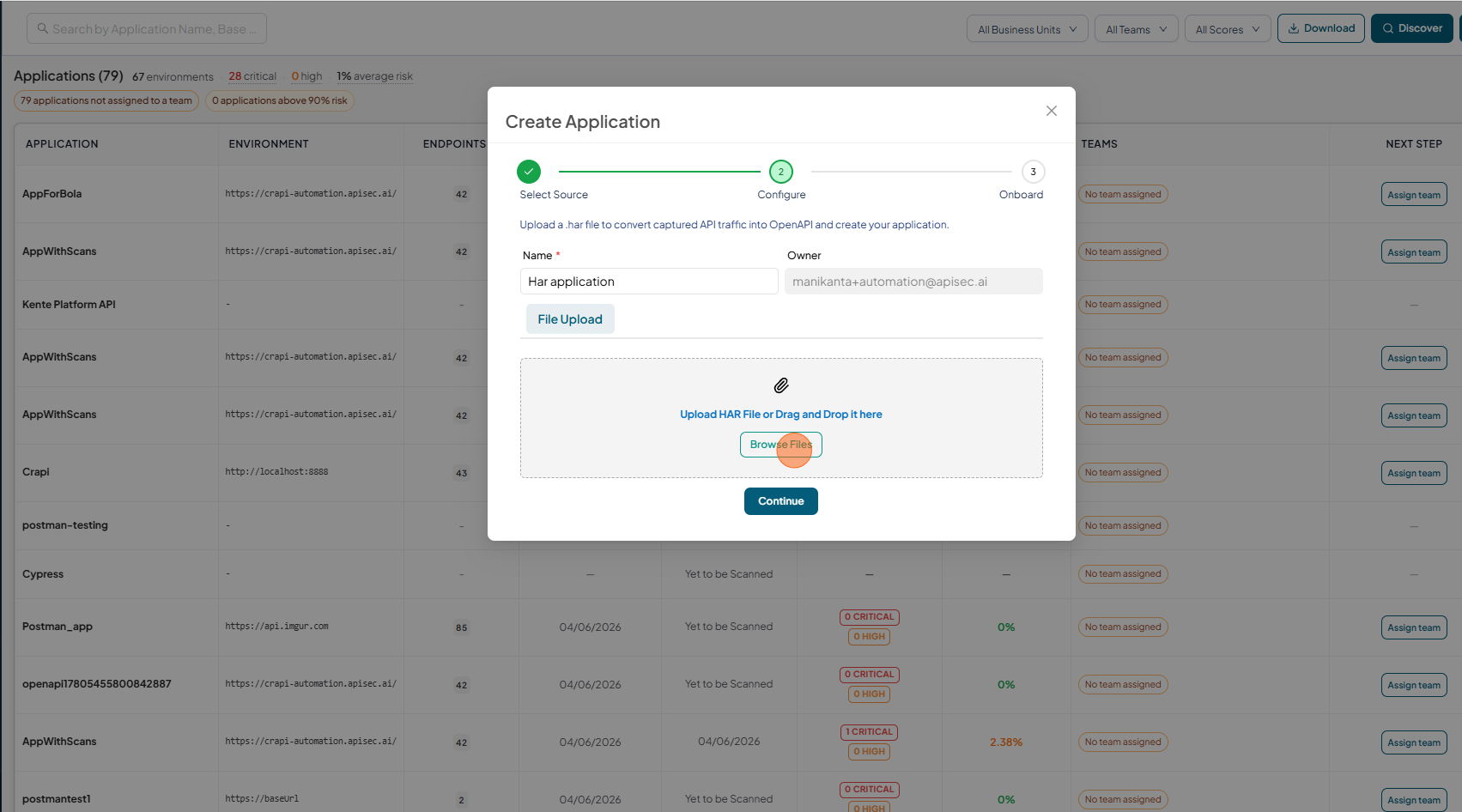
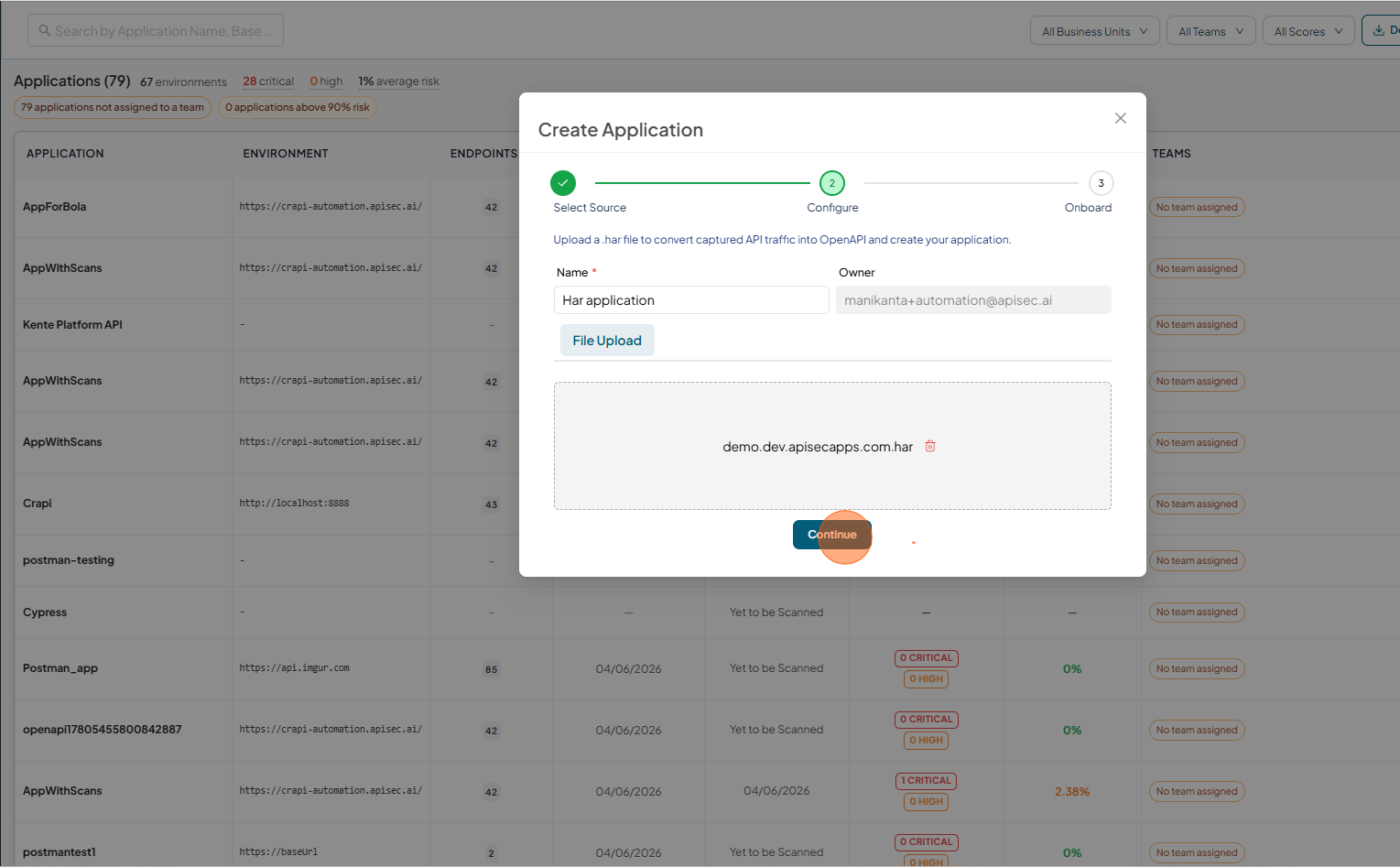
Provide an application name.
-
Click on Browse Files and upload the HAR file
-
After uploading the file, click Continue.
-
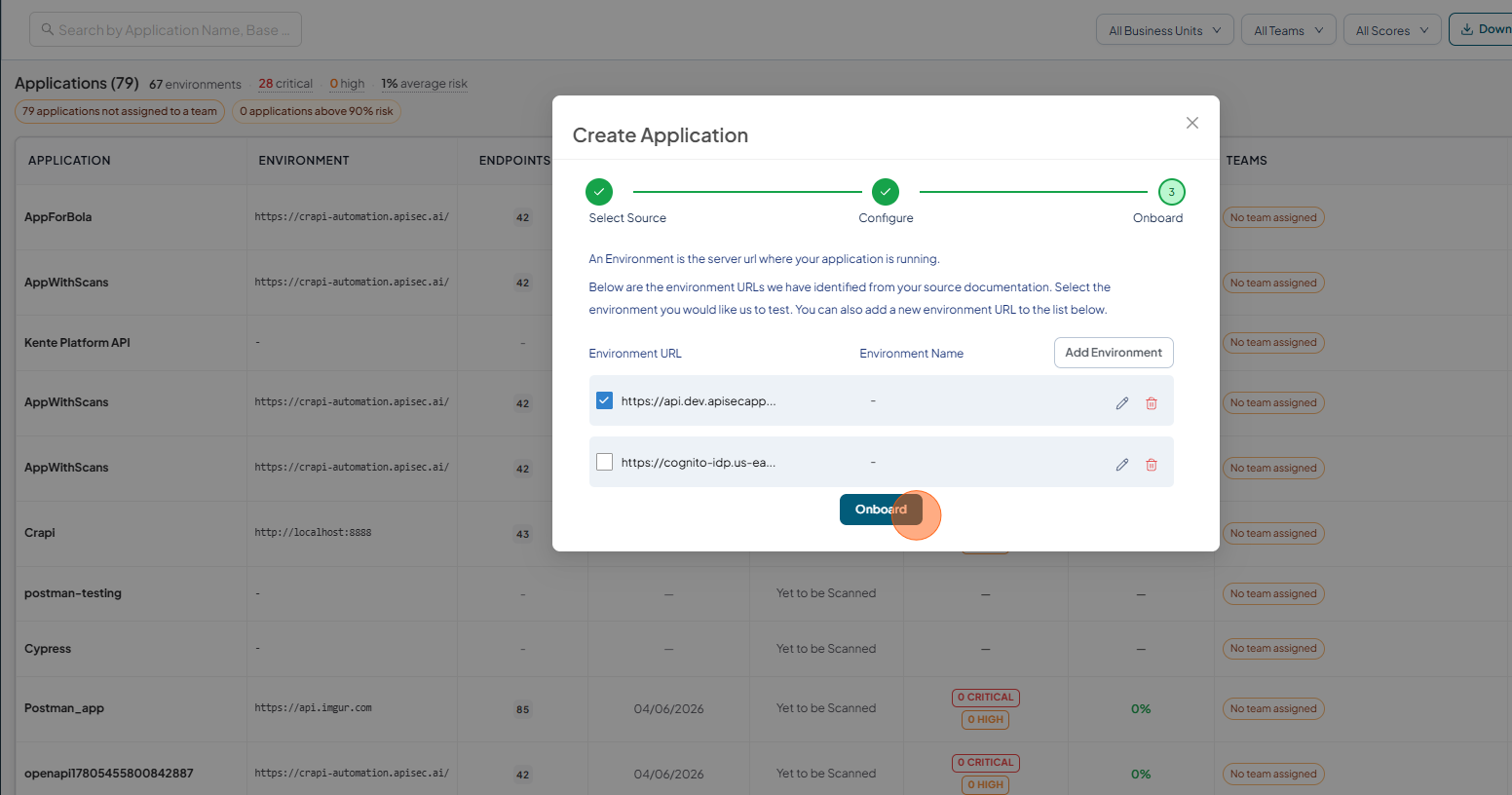
Validate the Environment URL and click on Onboard.
-
Once onboarding is complete,
- You can view the application.
- Test API security to identify vulnerabilities
- Enable monitoring to track API usage and performance