API Credentials
API Token
You can generate an API Token to securely authenticate and interact with the platform APIs. API tokens allow you to perform specific actions such as managing applications, retrieving reports, or initiating scans without using your login credentials.
How to create API Token
-
Open your browser and visit: https://<your-tenant>.apisecapps.com
-
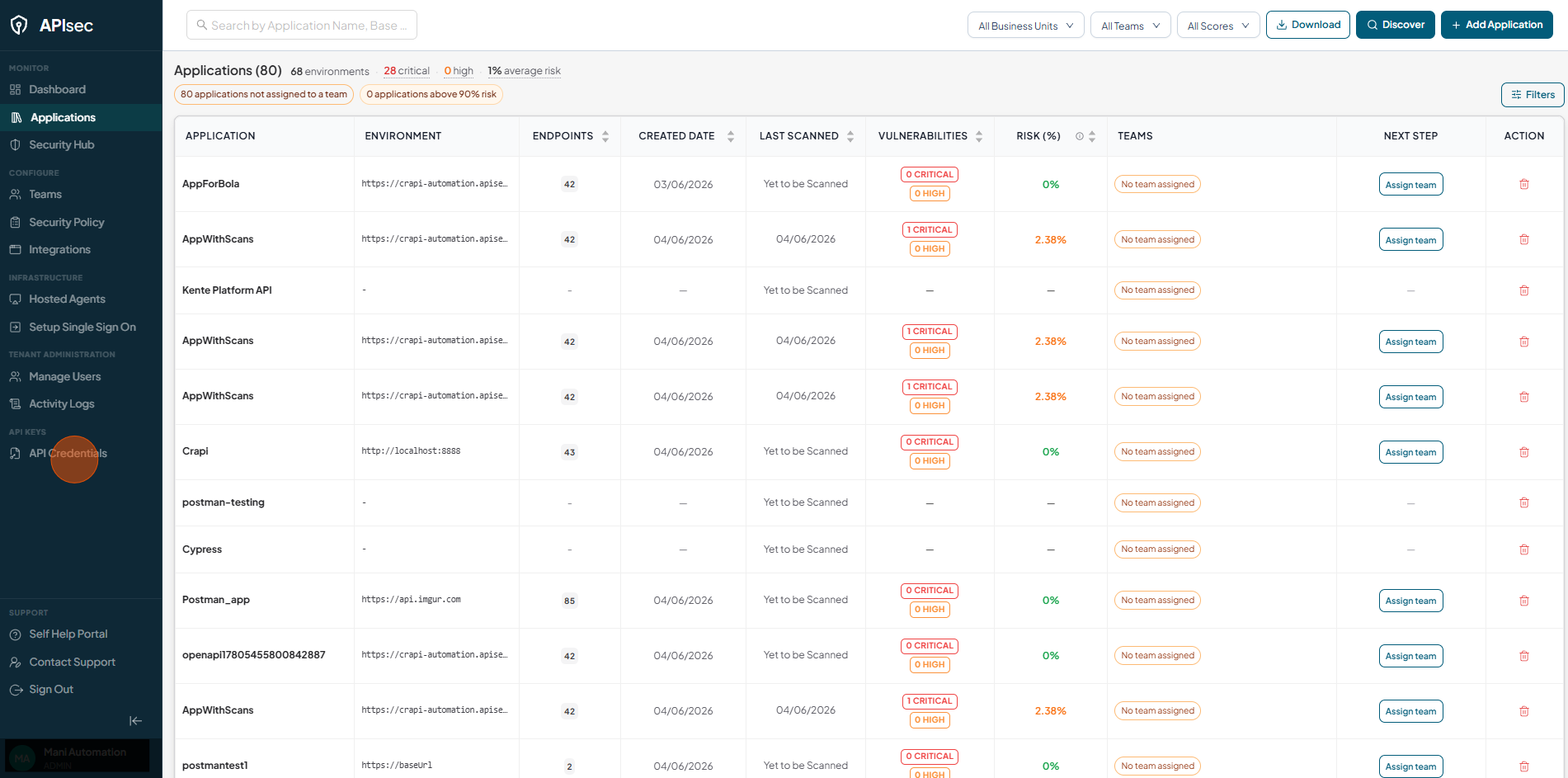
Click on the API Credentials menu.
-
Now you will see the API Token form.
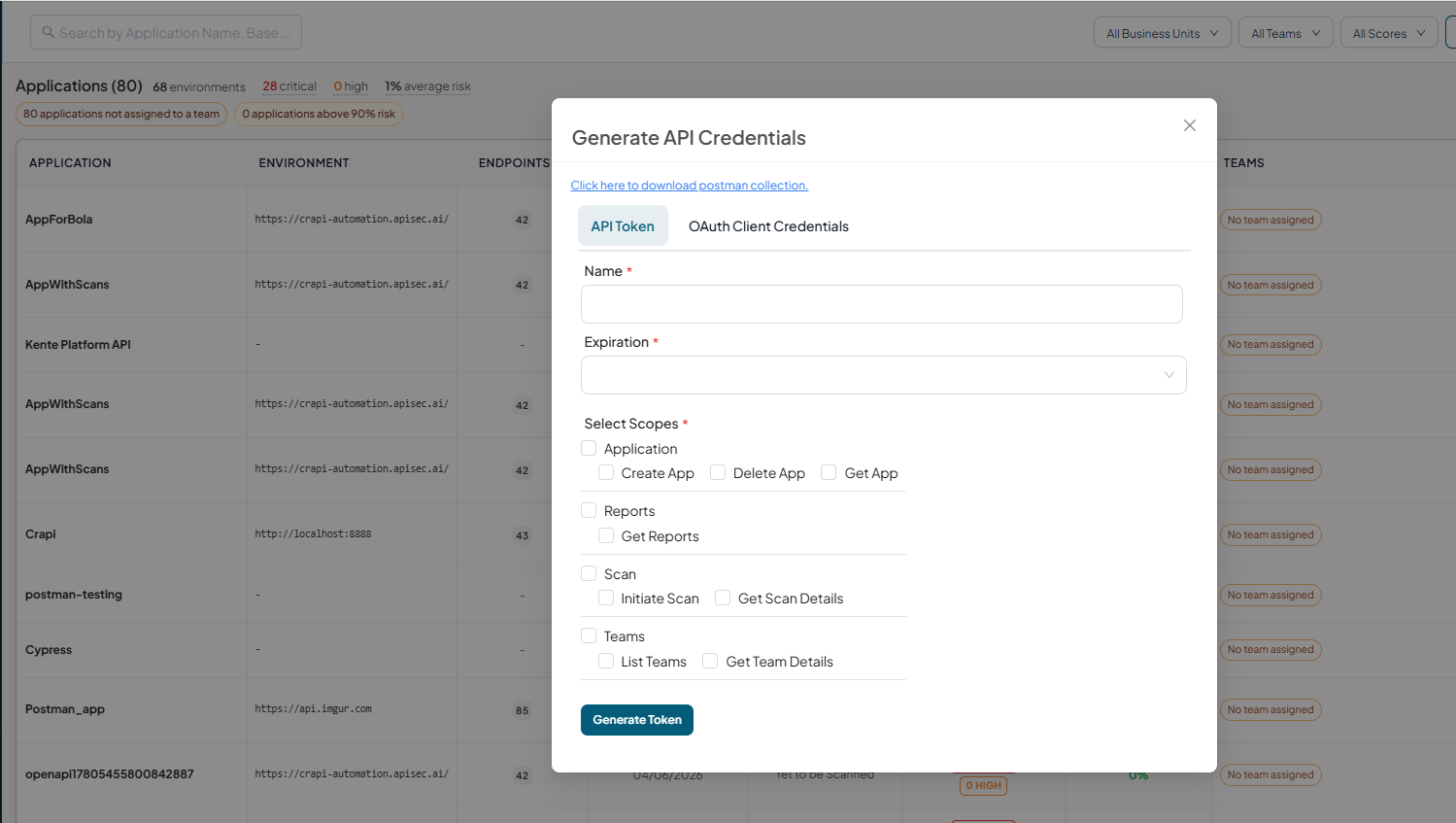
In this form
-
Click here to download Postman collection
- Use the provided Postman collection to test and integrate the APIs easily with the generated token.
-
Fill in the required details,
-
Name: Enter a name for your token (e.g., Integration Token, DevOps Pipeline Token).
-
Expiration: Select an expiration period from the dropdown list. Once expired, the token will no longer work and a new one must be generated.
-
-
Select Scopes - Scopes define the level of access granted to the token.
-
Application
-
Create App: Allows creation of new applications.
-
Delete App: Allows deletion of existing applications.
-
Get App: Allows fetching details of applications.
-
-
Reports
- Get Reports: Allows access to vulnerability or scan reports.
-
Scans
- Initiate Scan: Grants permission to start new scans.
- Get Scan Details: Grants permission to fetch details of existing scans.
-
Teams
- List Teams - Allows viewing the list of available teams.
- Get Team Details - Allows retrieving detailed information about a specific team.
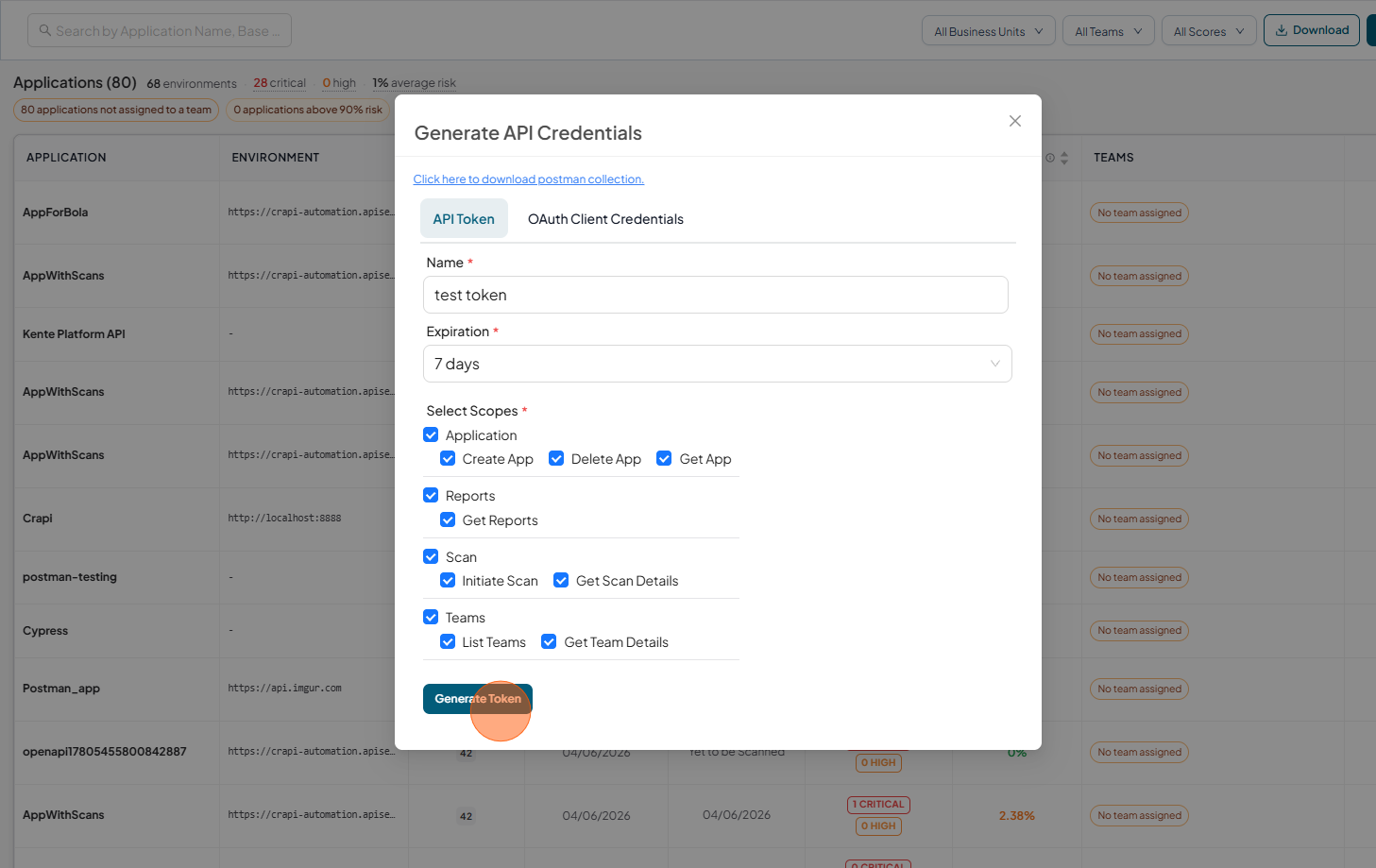
Once all fields are completed, click Generate Token. The system will create a new token, which you can use in API requests.
-
-
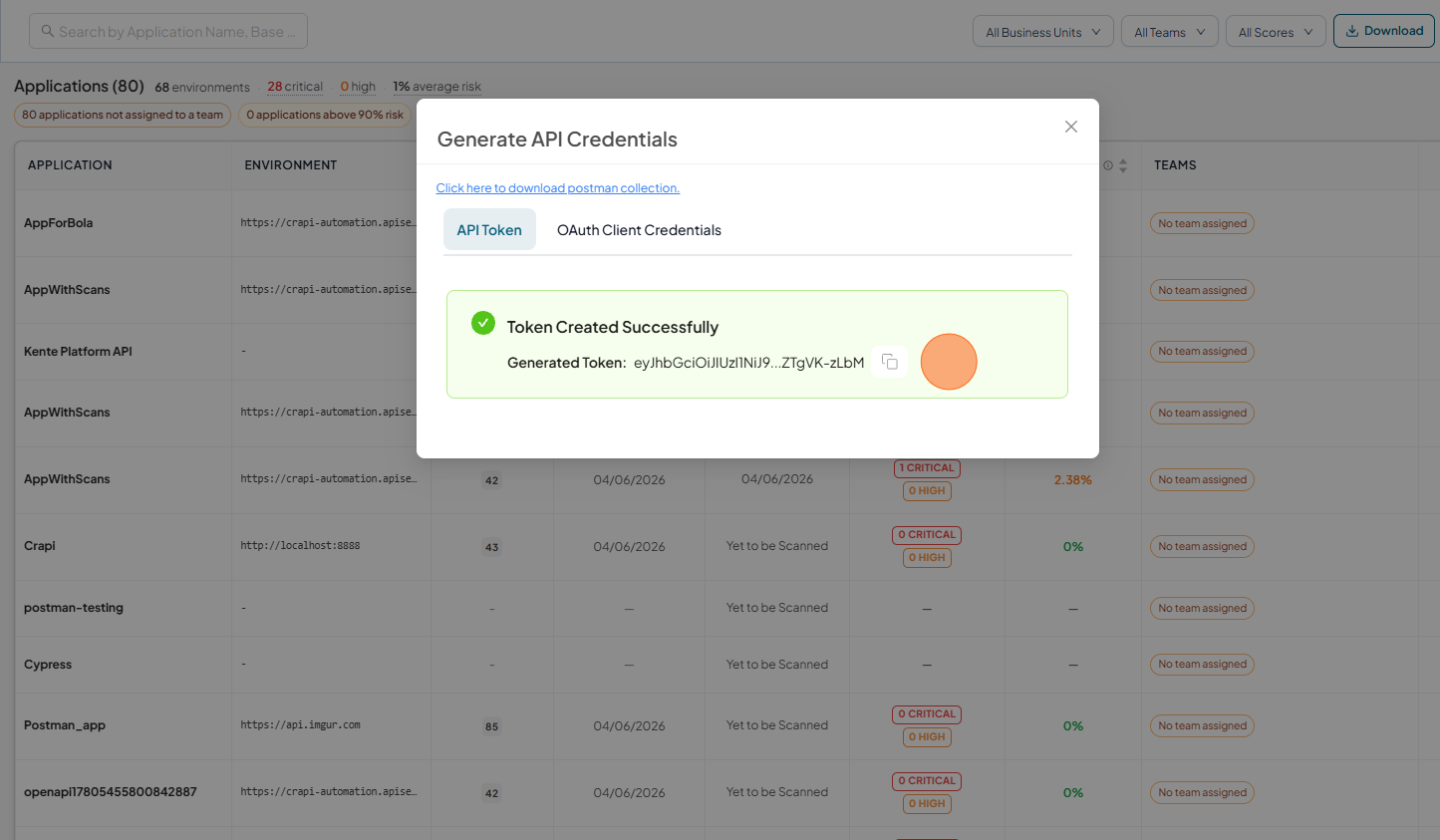
Get API Token.
The system will create a new token, which you can use in API requests.
OAuth Client Credentials
OAuth Client Credentials provide a secure way for applications, scripts, and CI/CD pipelines to authenticate with the APIsec platform without requiring user credentials. Generate a Client ID and Client Secret, assign the required scopes, and exchange them for short-lived access tokens to securely access APIsec APIs.
How to create OAuth Client Credentials
-
Open your browser and visit: https://<your-tenant>.apisecapps.com
-
Click on the API Credentials menu.
-
Select OAuth Client Credentials
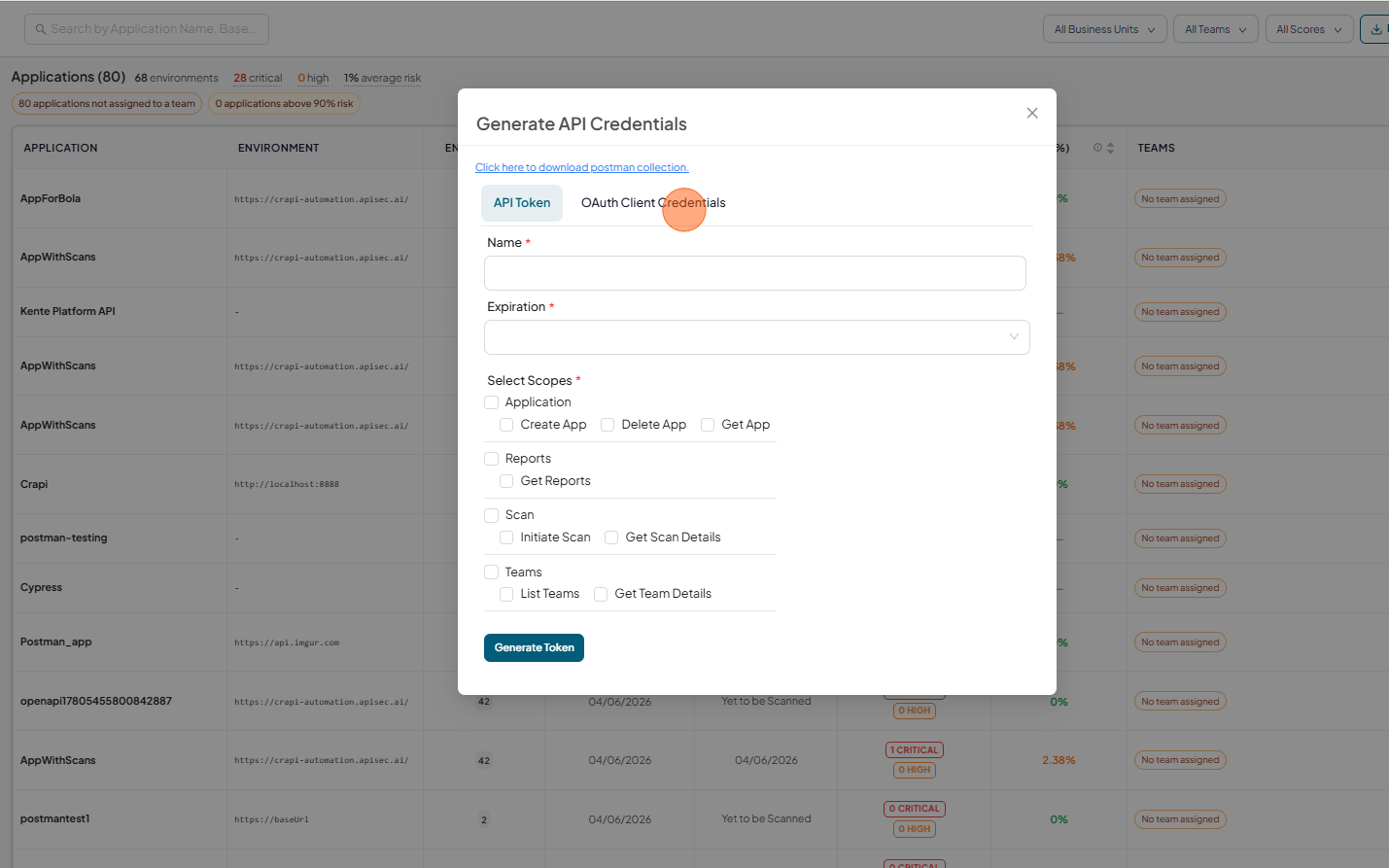
-
Now you will see the OAuth Client Credentials form.
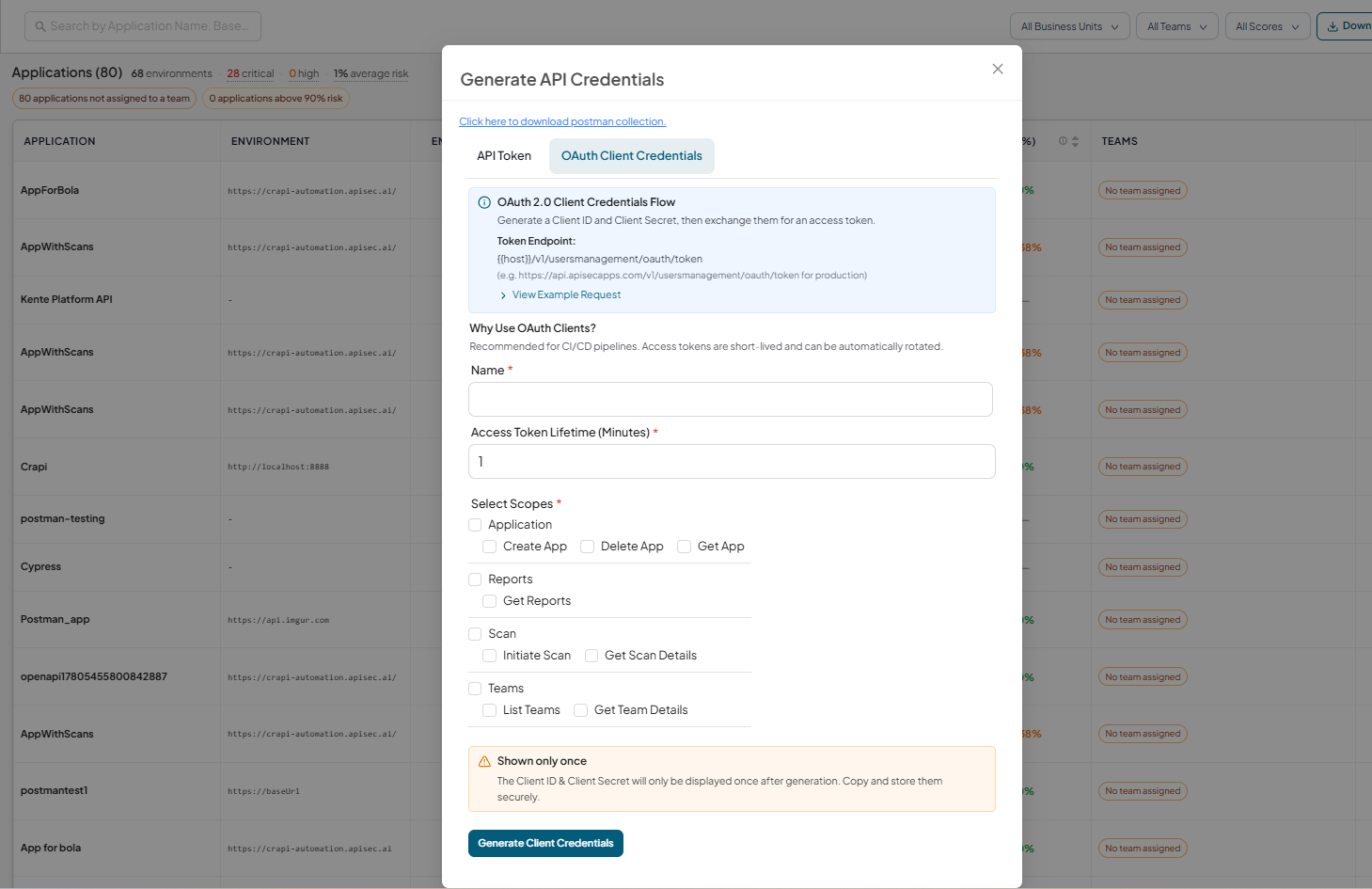
In this form
-
Fill in the required details,
-
Name: Enter a name for your token (e.g., Integration Token, DevOps Pipeline Token).
-
Expiration: Select an expiration period from the dropdown list. Once expired, the token will no longer work and a new one must be generated.
-
-
Select Scopes - Choose the permissions that will be granted to the OAuth client. Only the selected API operations can be accessed.
-
Application
-
Create App: Allows creation of new applications.
-
Delete App: Allows deletion of existing applications.
-
Get App: Allows fetching details of applications.
-
-
Reports
- Get Reports: Allows access to reports.
-
Scans
- Initiate Scan: Grants permission to start new scans.
- Get Scan Details: Grants permission to fetch details of existing scans.
-
Teams
- List Teams - Allows viewing the list of available teams.
- Get Team Details - Allows retrieving detailed information about a specific team.
Once all fields are completed, click Generate Token. The system will create a new token, which you can use in API requests.
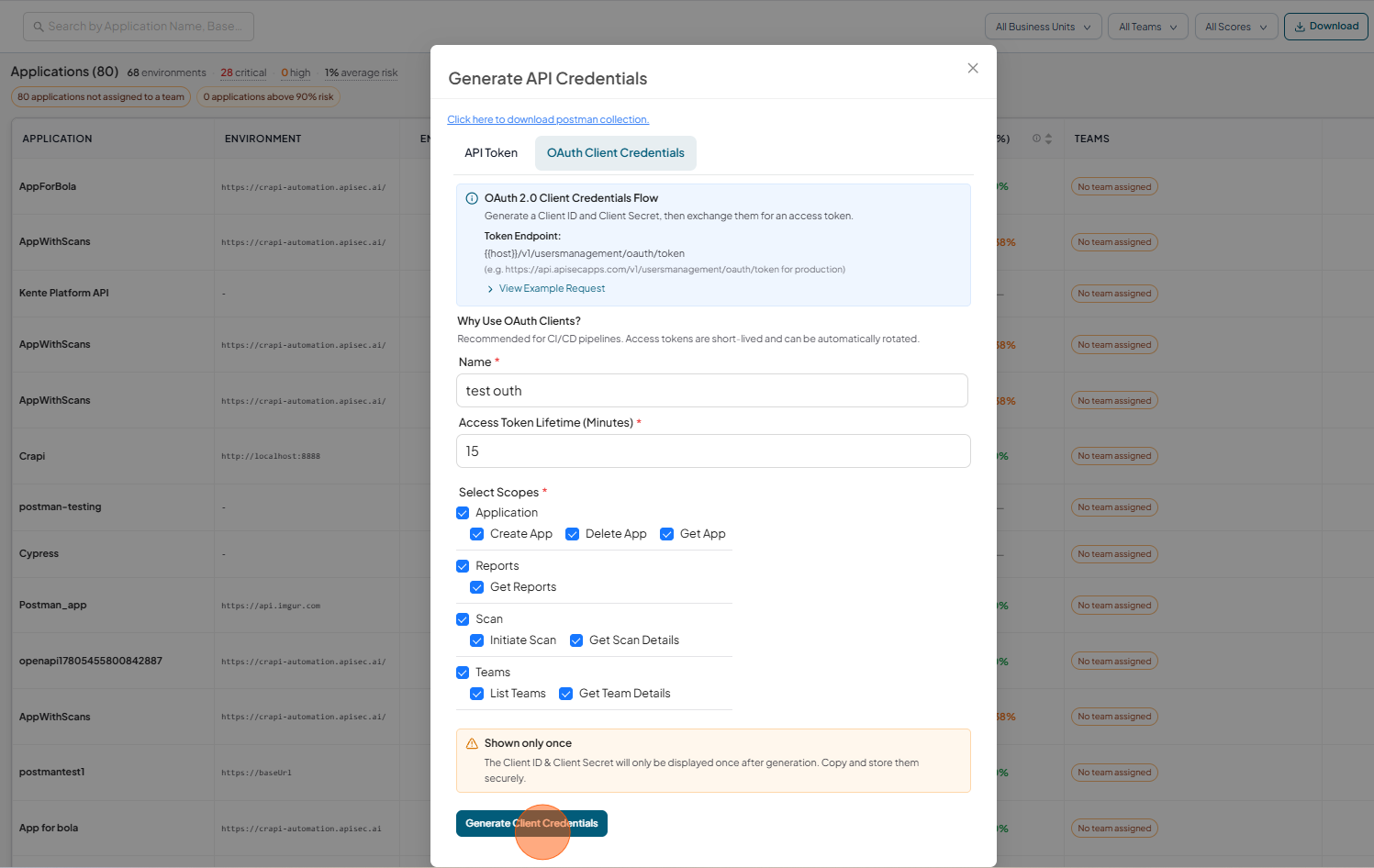
-
The system will generate a new OAuth client credentials
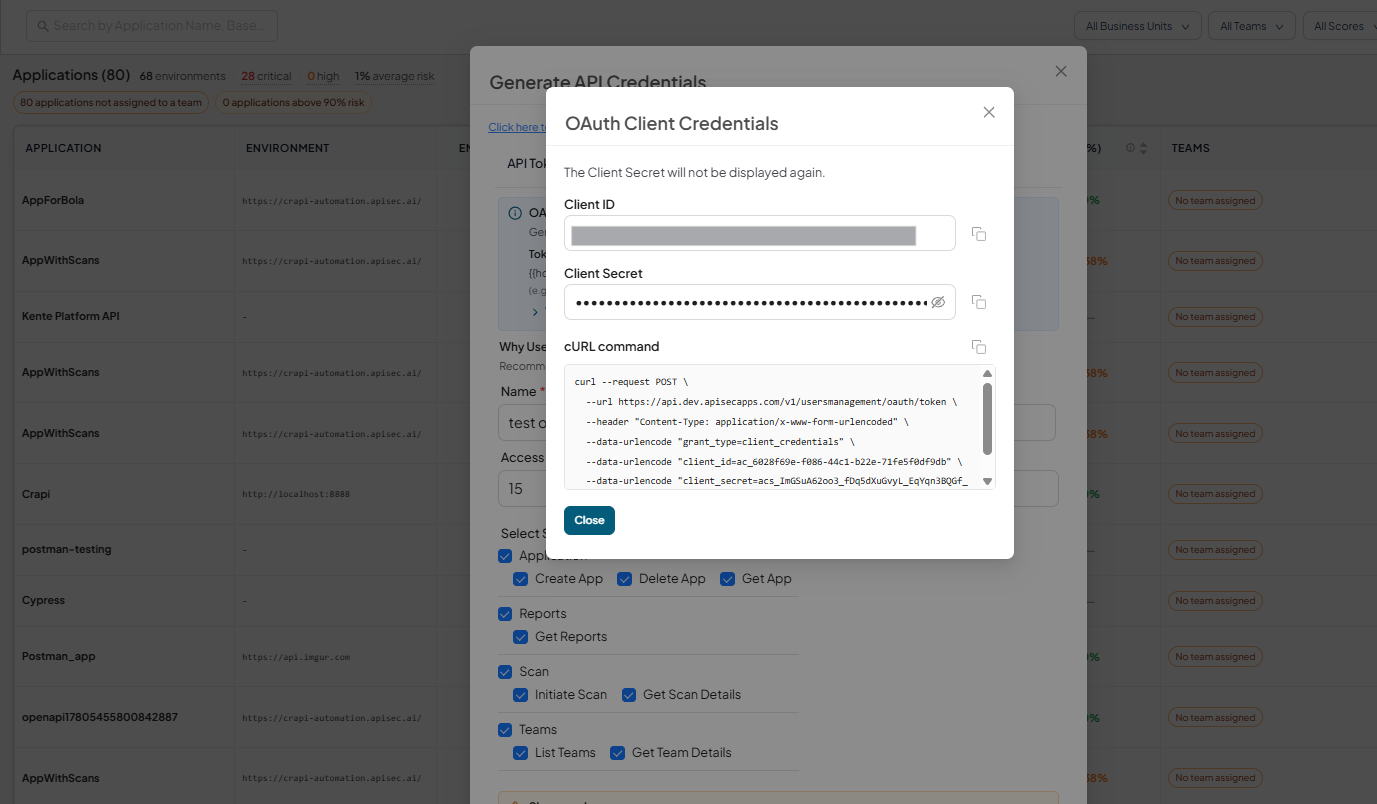
-