How To Onboard An Application Using GraphQL API
Prerequisites
APIsec platform requires the following two prerequisites for GraphQL onboarding:
-
SDL file – Schema Definition Language file that describes the GraphQL schema.
-
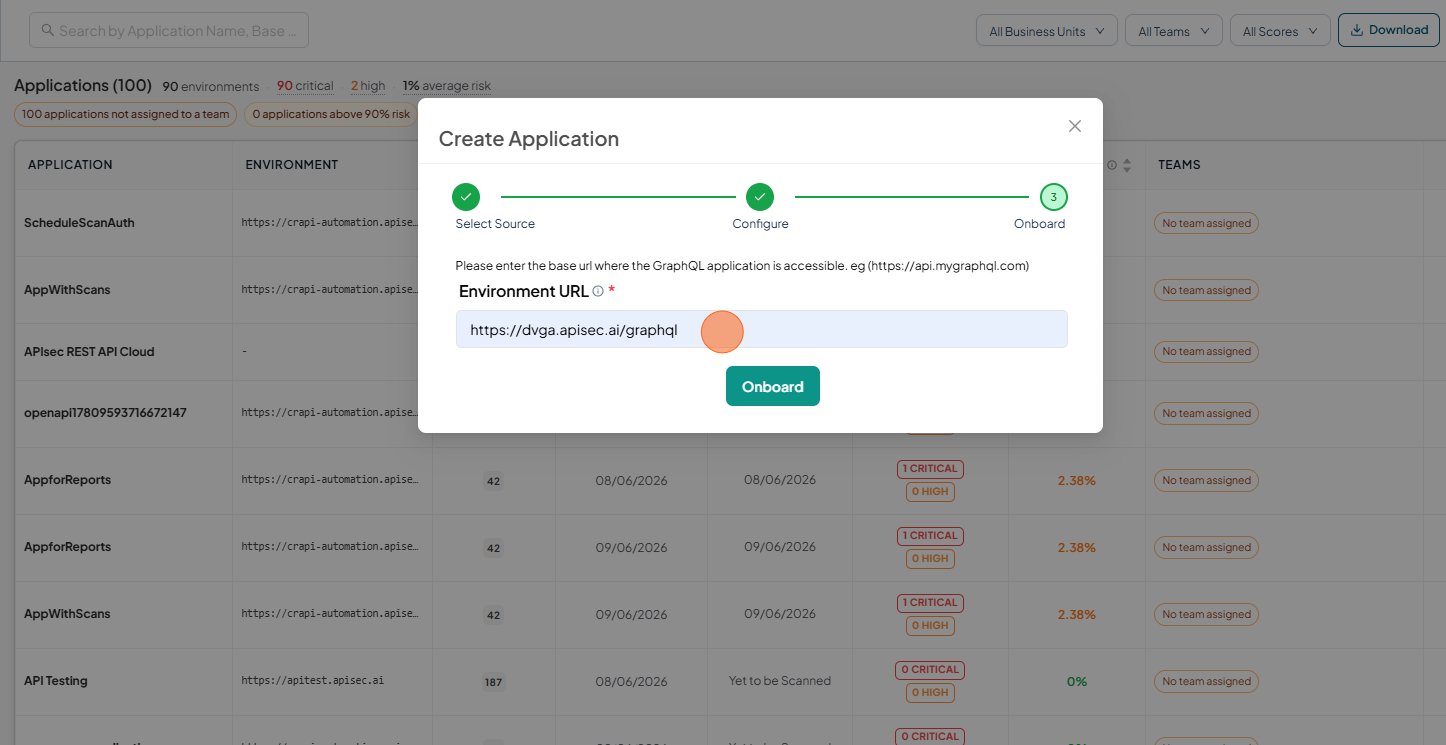
Instance URL – The GraphQL endpoint URL where queries and mutations will be executed.
Start Adding GraphQL application
-
Open your browser and visit: https://<your-tenant>.apisecapps.com
-
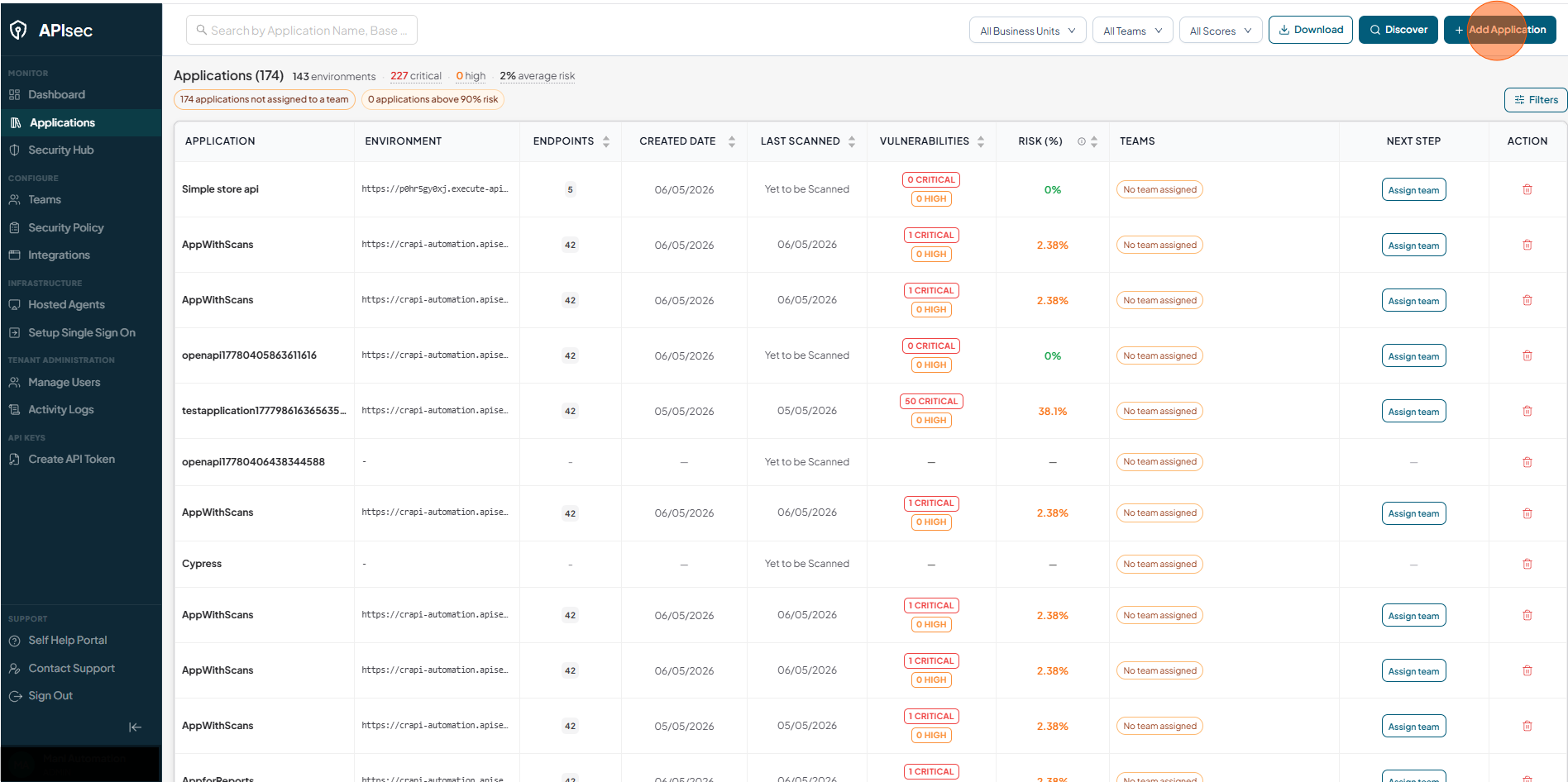
Click on the "Add Application"
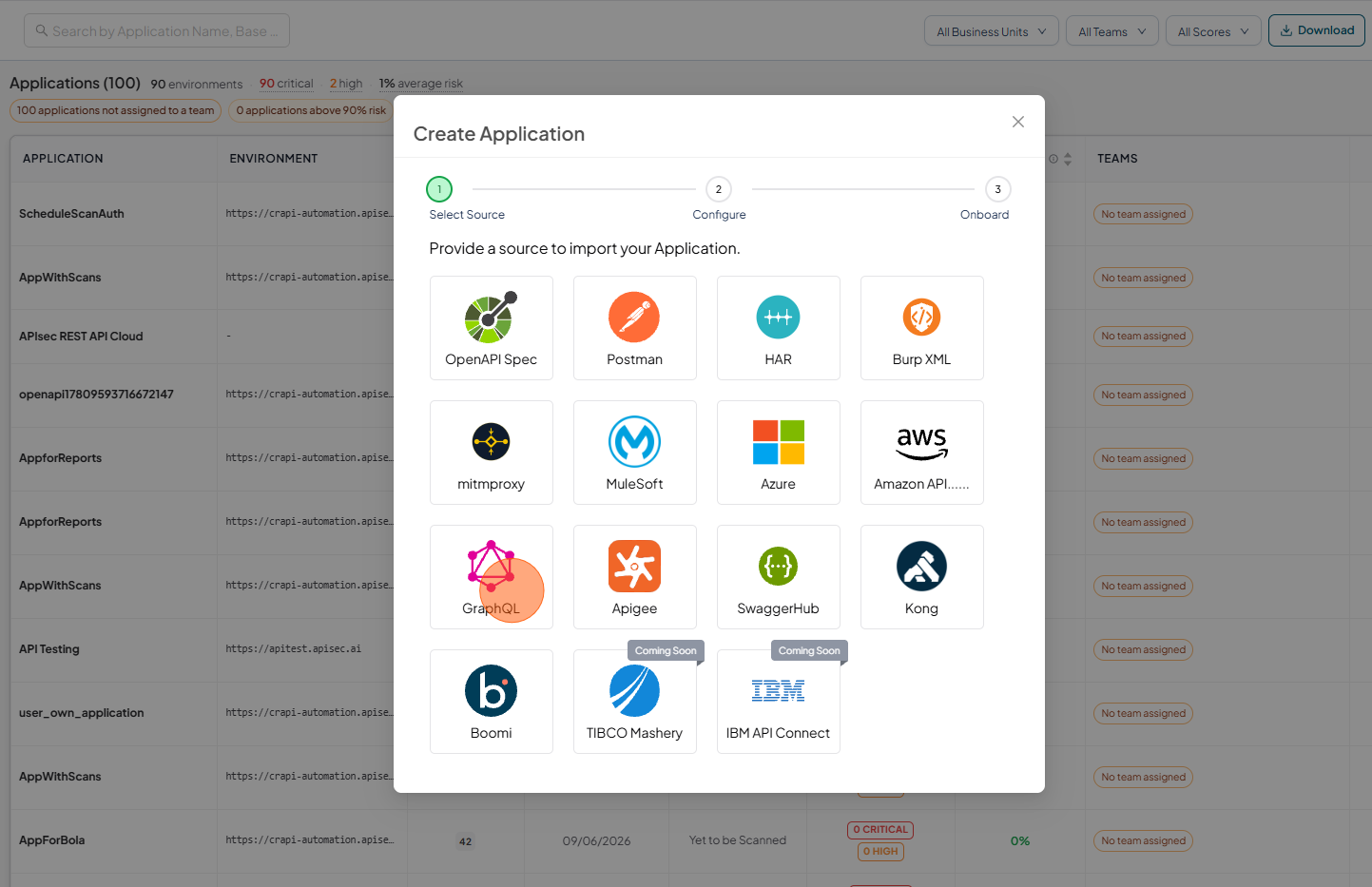
Select GraphQL
-
Choose the GraphQL option.
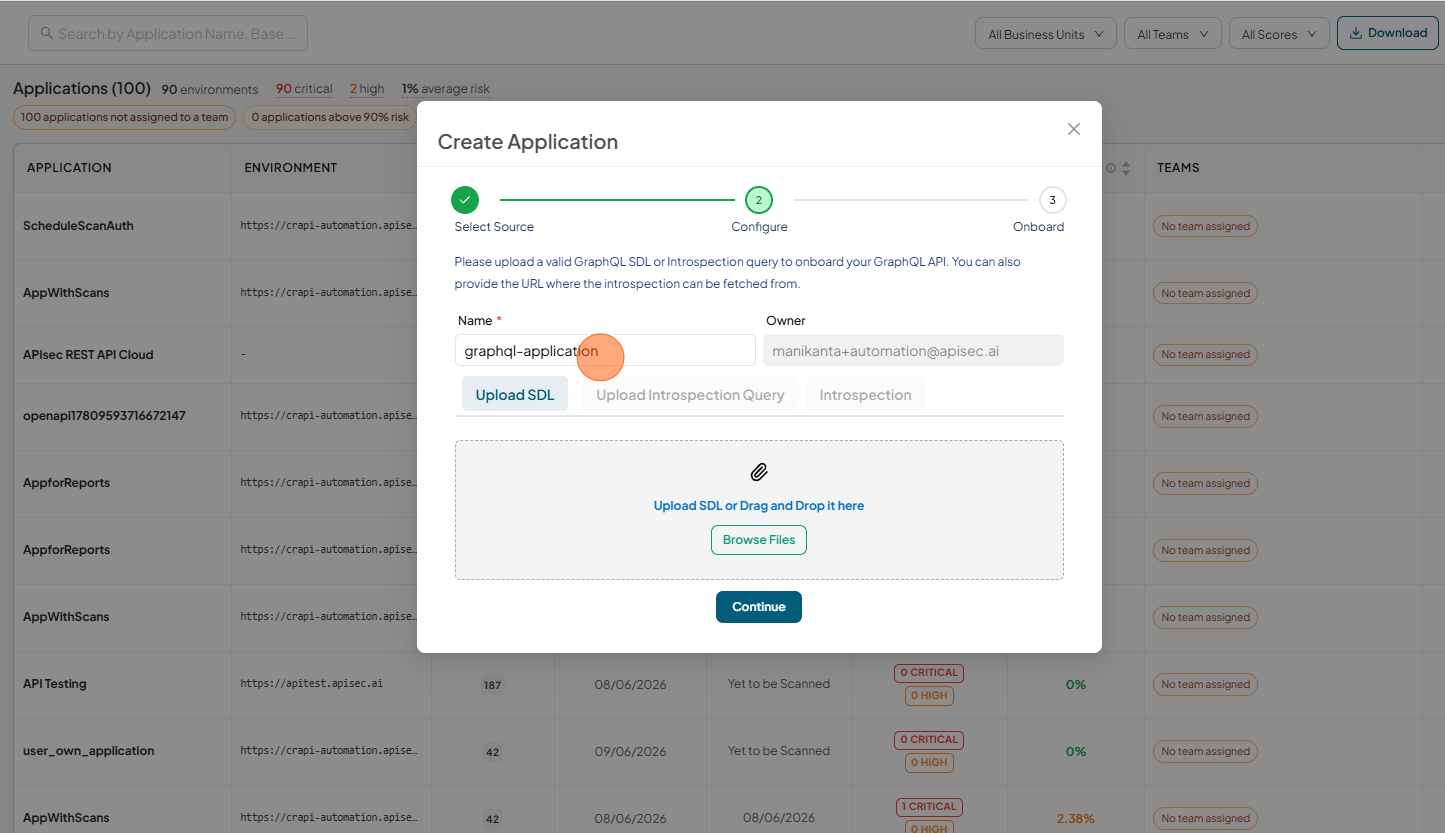
Enter application details
-
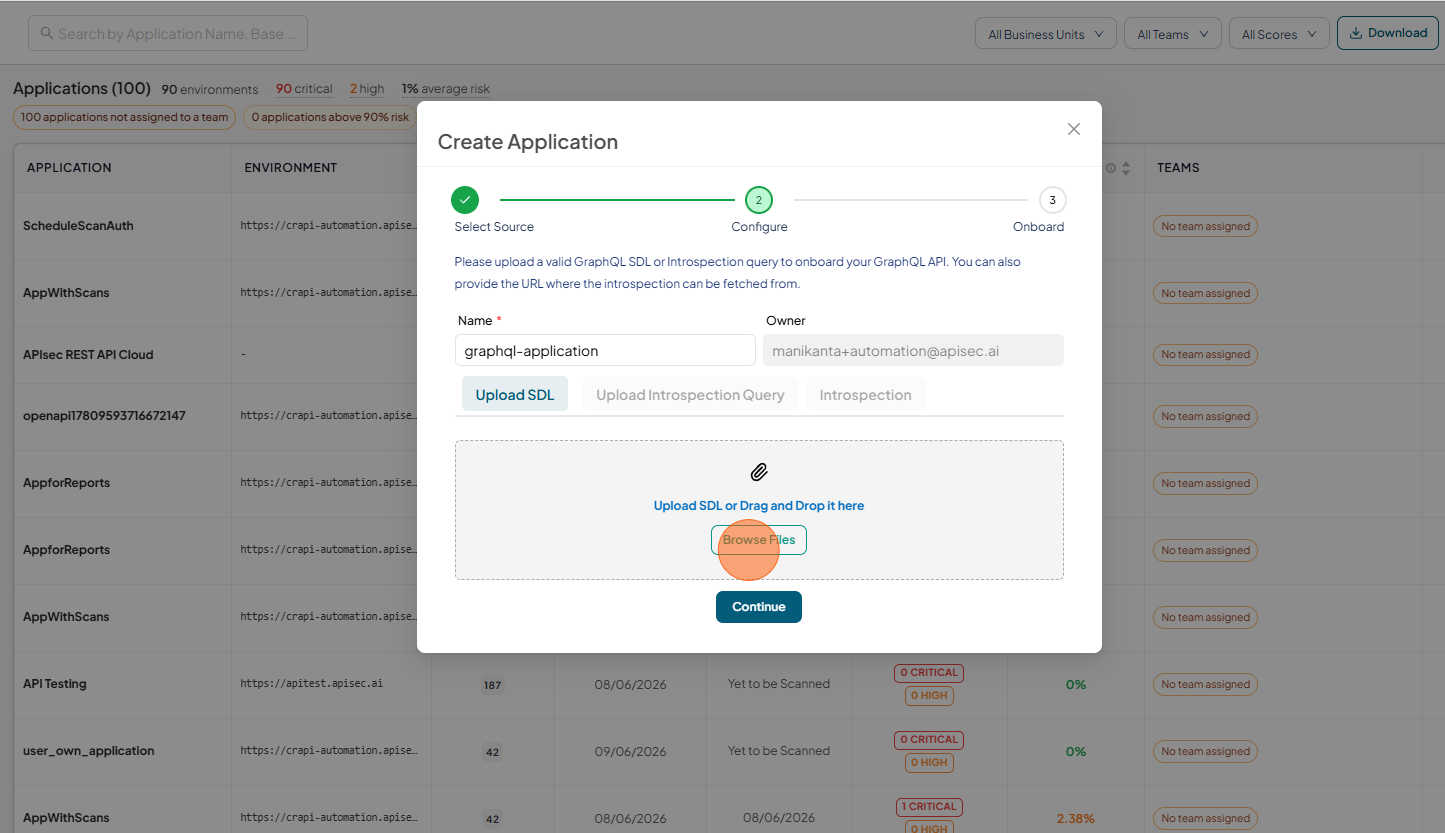
Enter the Name
-
Click Browse files and upload valid SDL
-
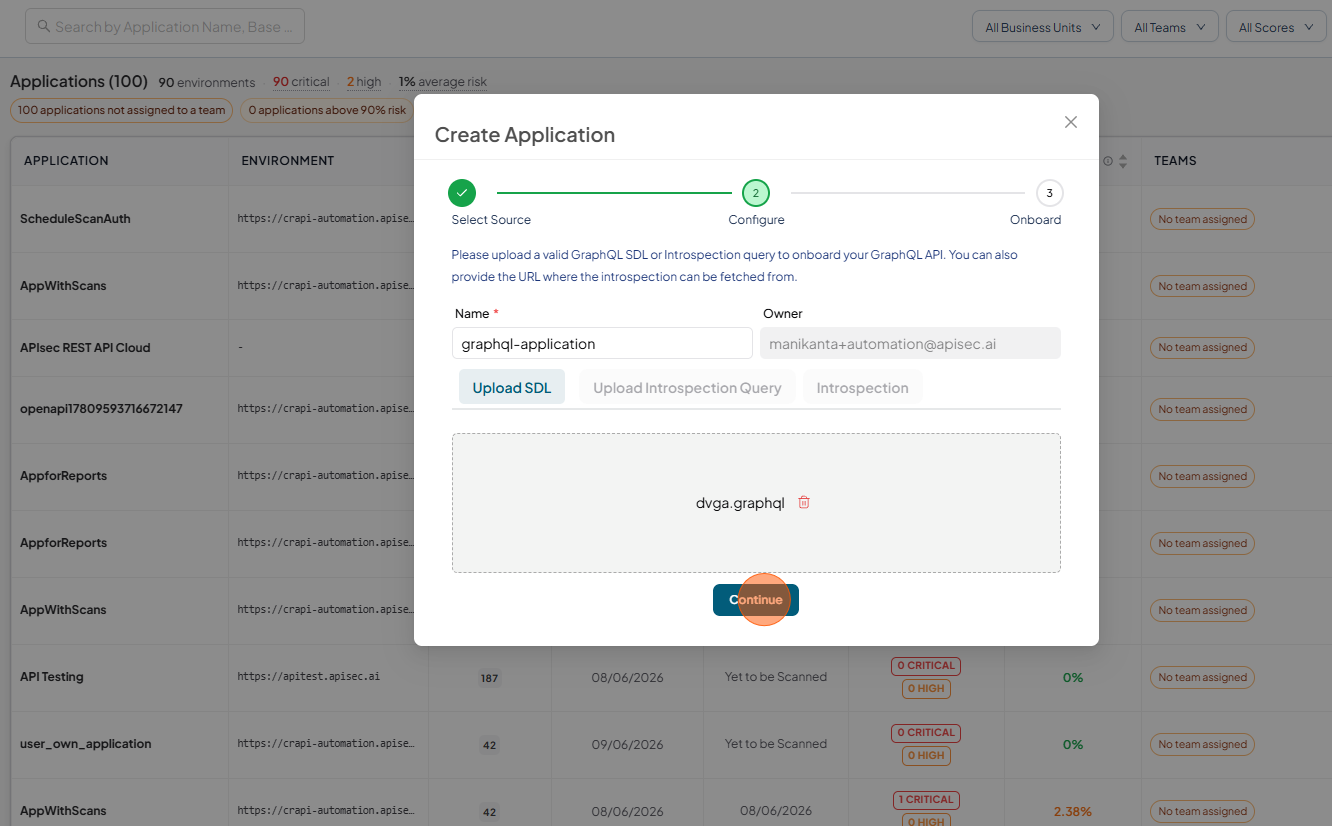
Click Continue
-
Enter the Instance URL
-
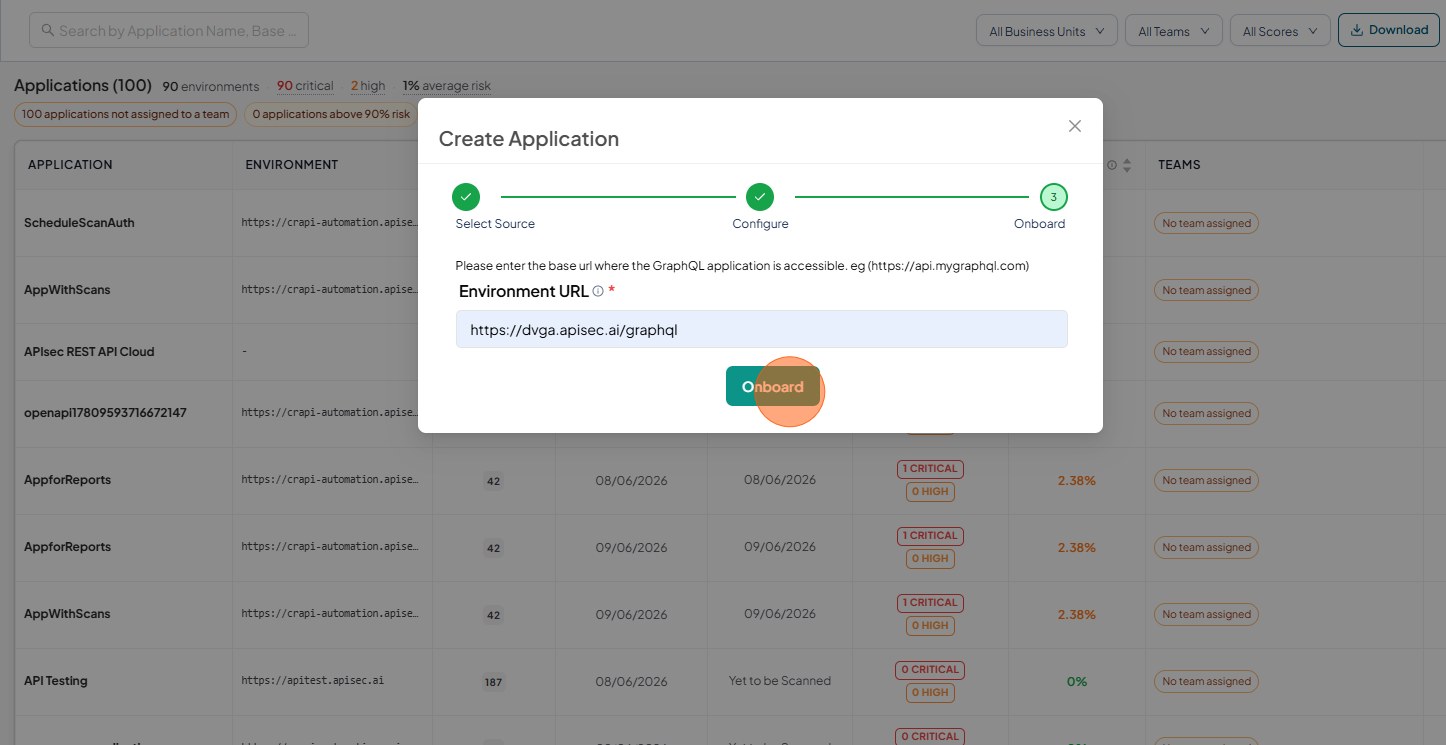
Click Onboard
-
GraphQL application dashboard.
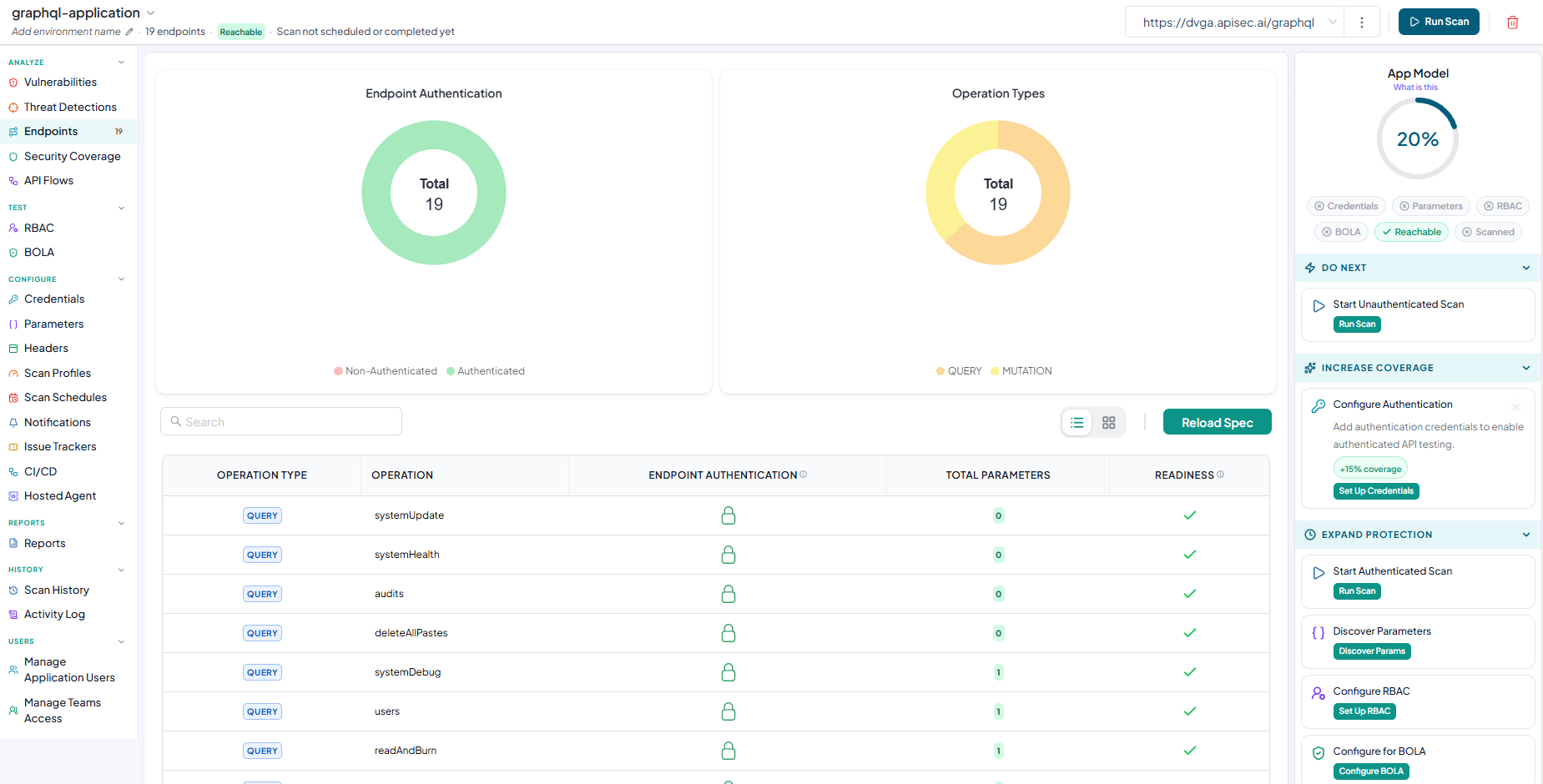
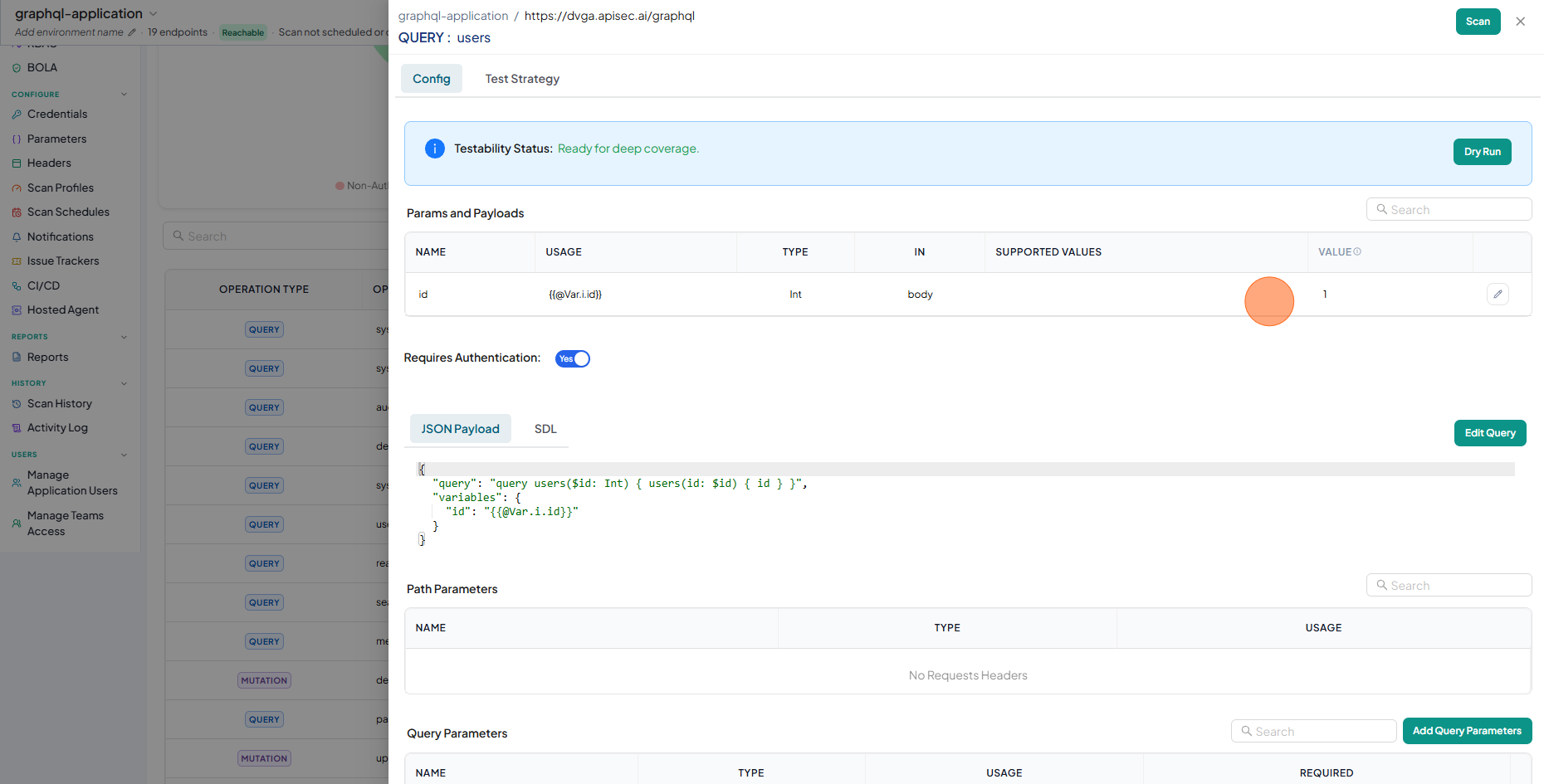
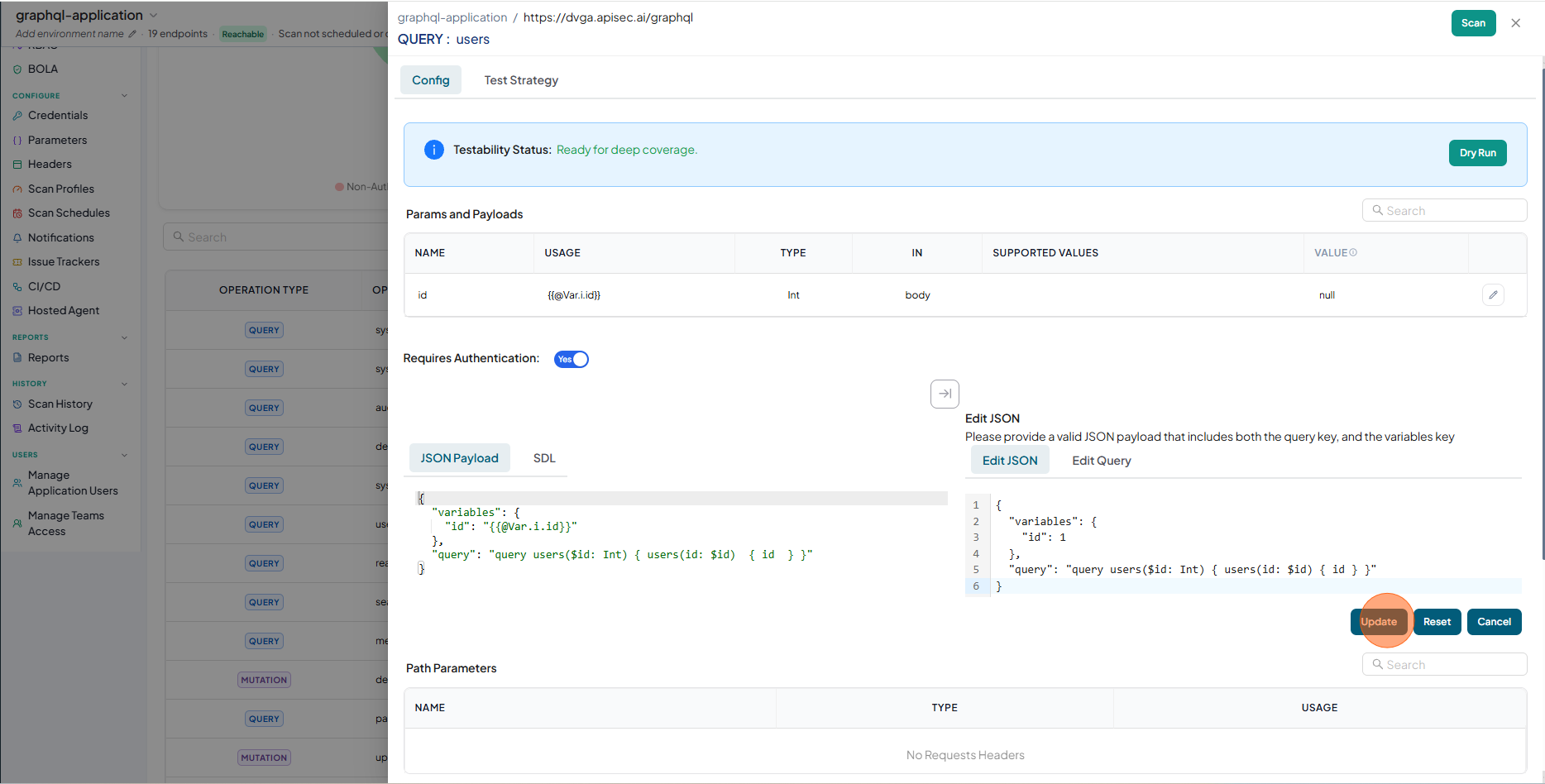
Edit Query or Edit Mutation
-
Click on selected Query
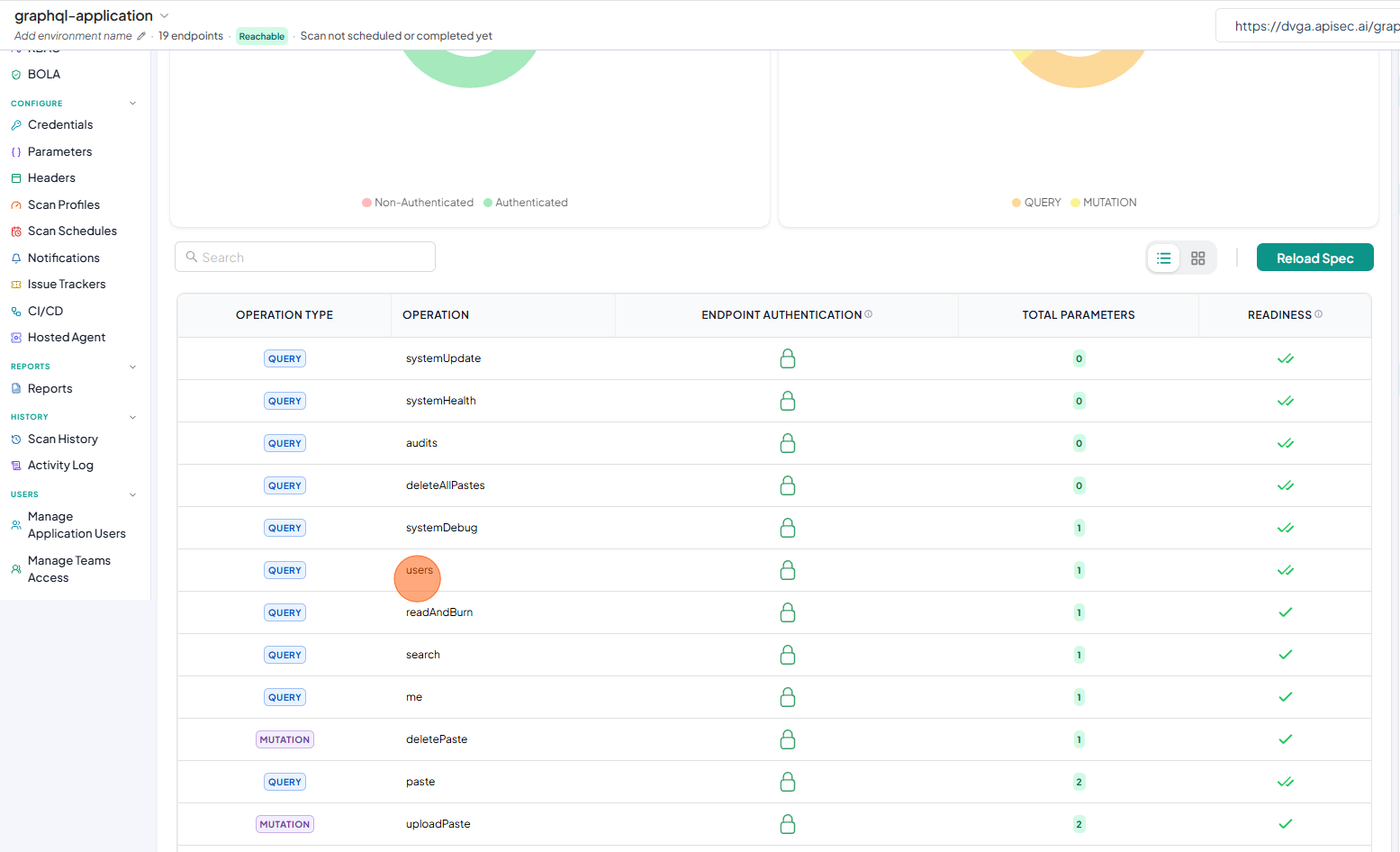
-
Click Edit Query
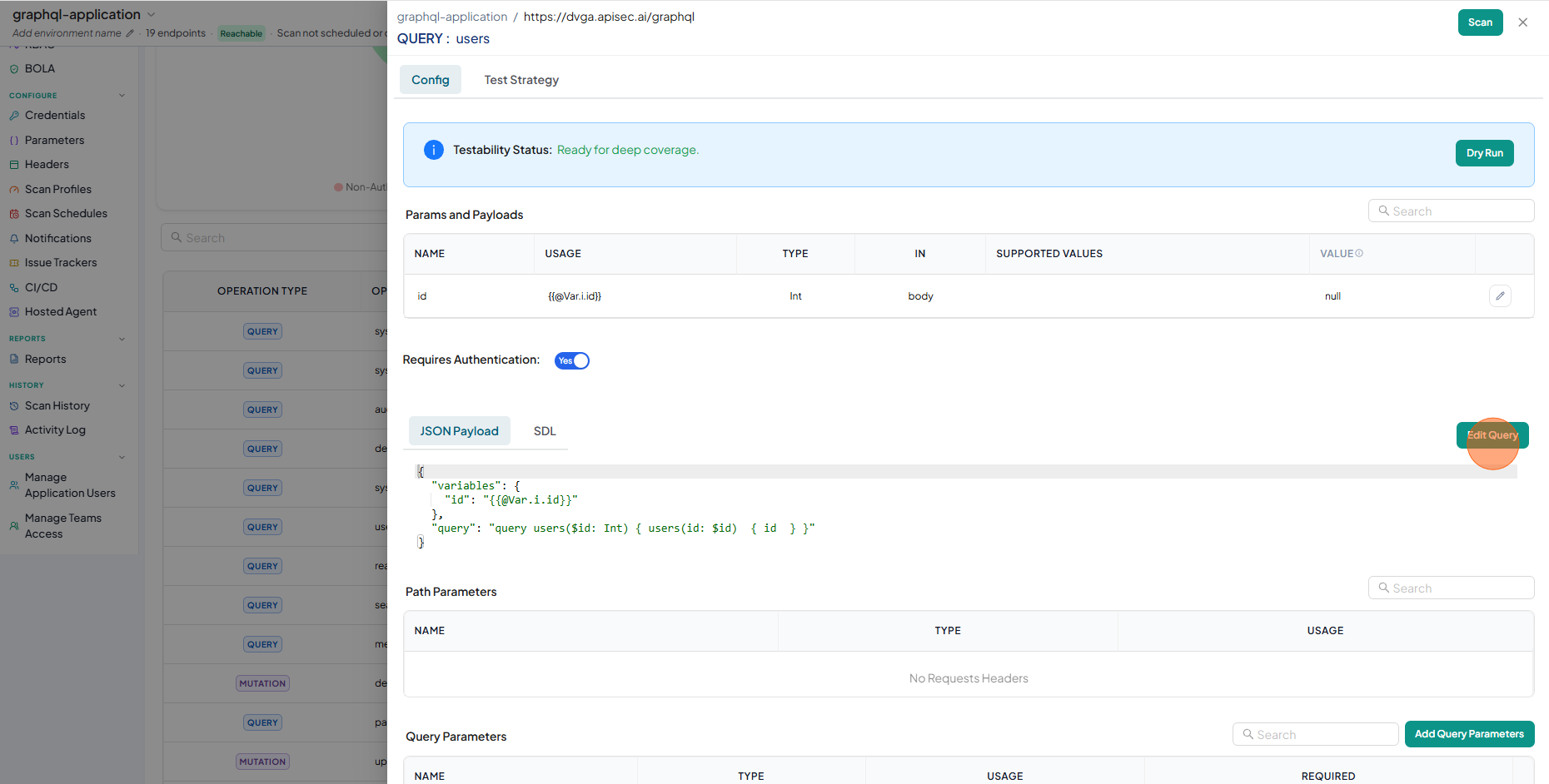
-
Enter the Variables Values
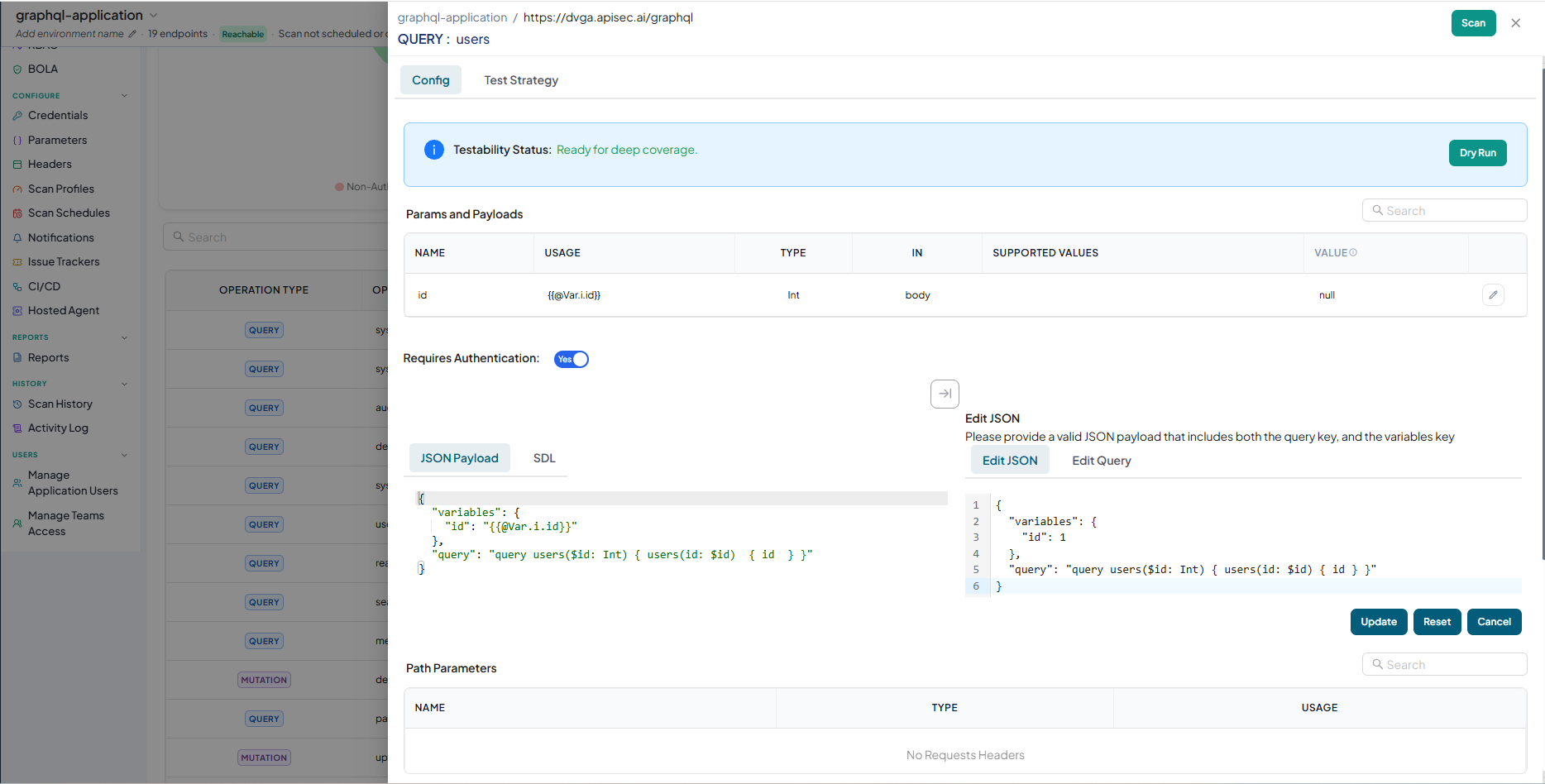
-
Click Update
-
Updated Variables Values are available in Parameters Configuration Table