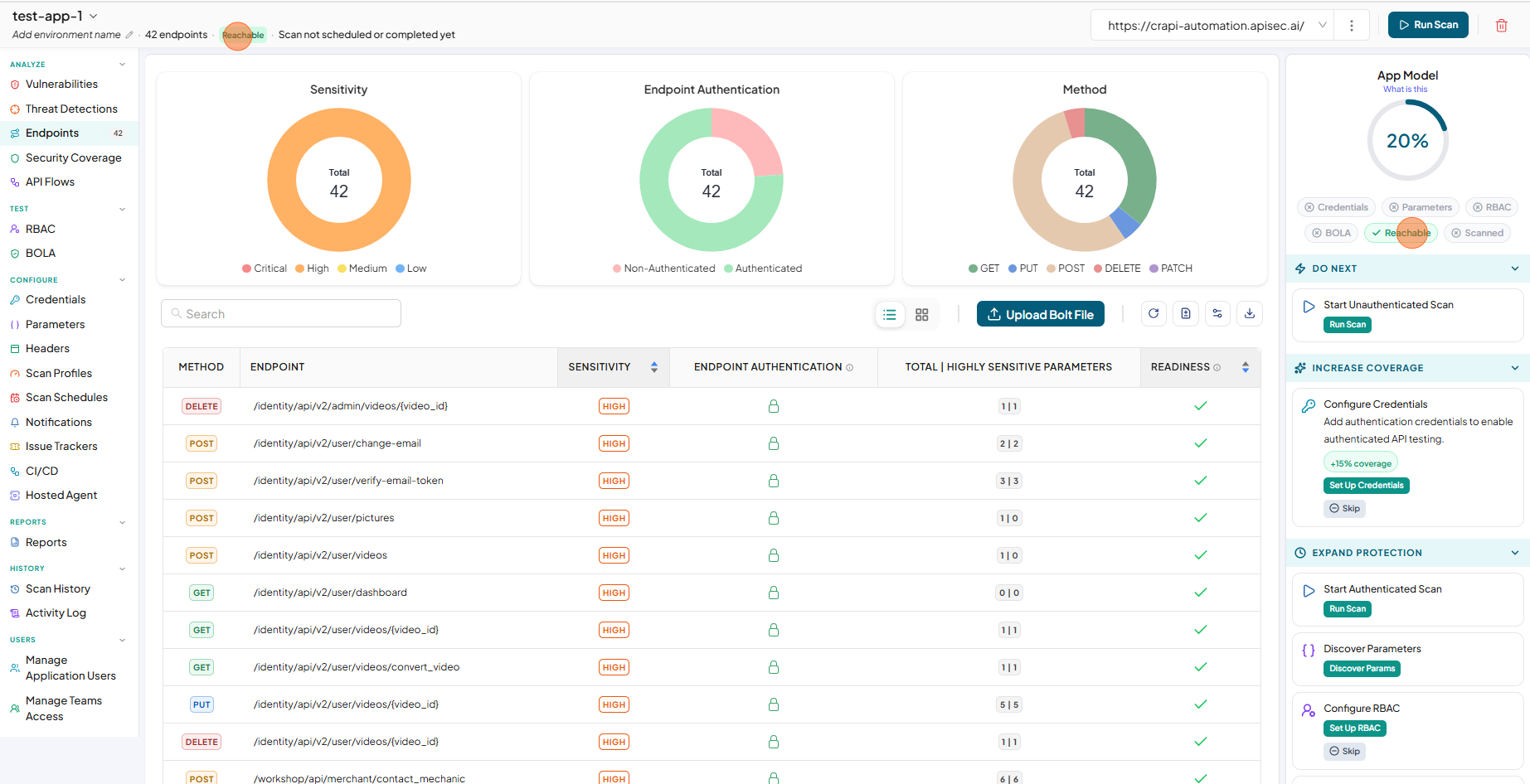
Updating with reachable URL and checking application is reachable
-
In the App Model, observe Setup Application Reachability in the IN PROGRESS section
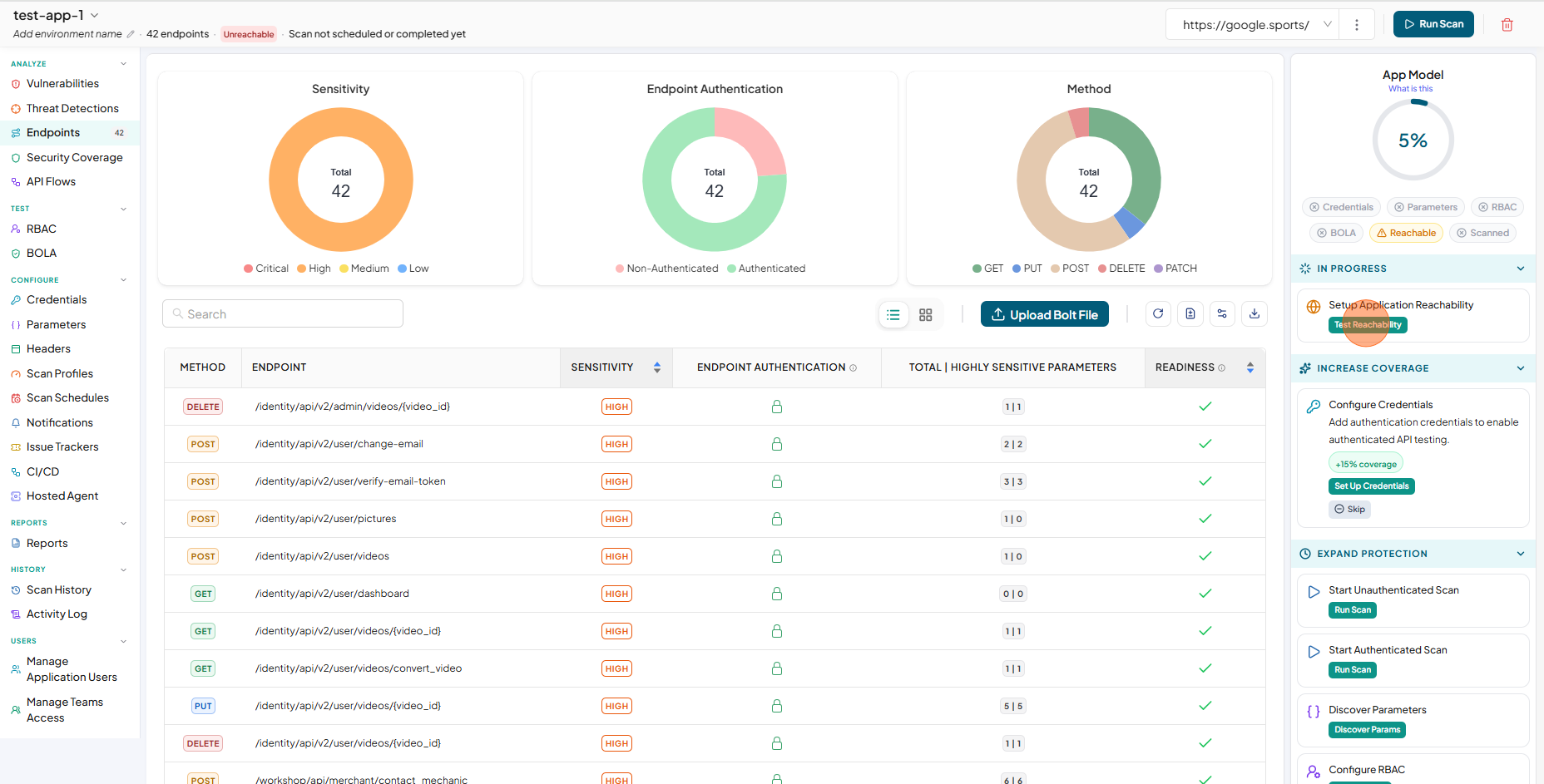
-
Click on the Test Reachability to update it with Reachable base URL
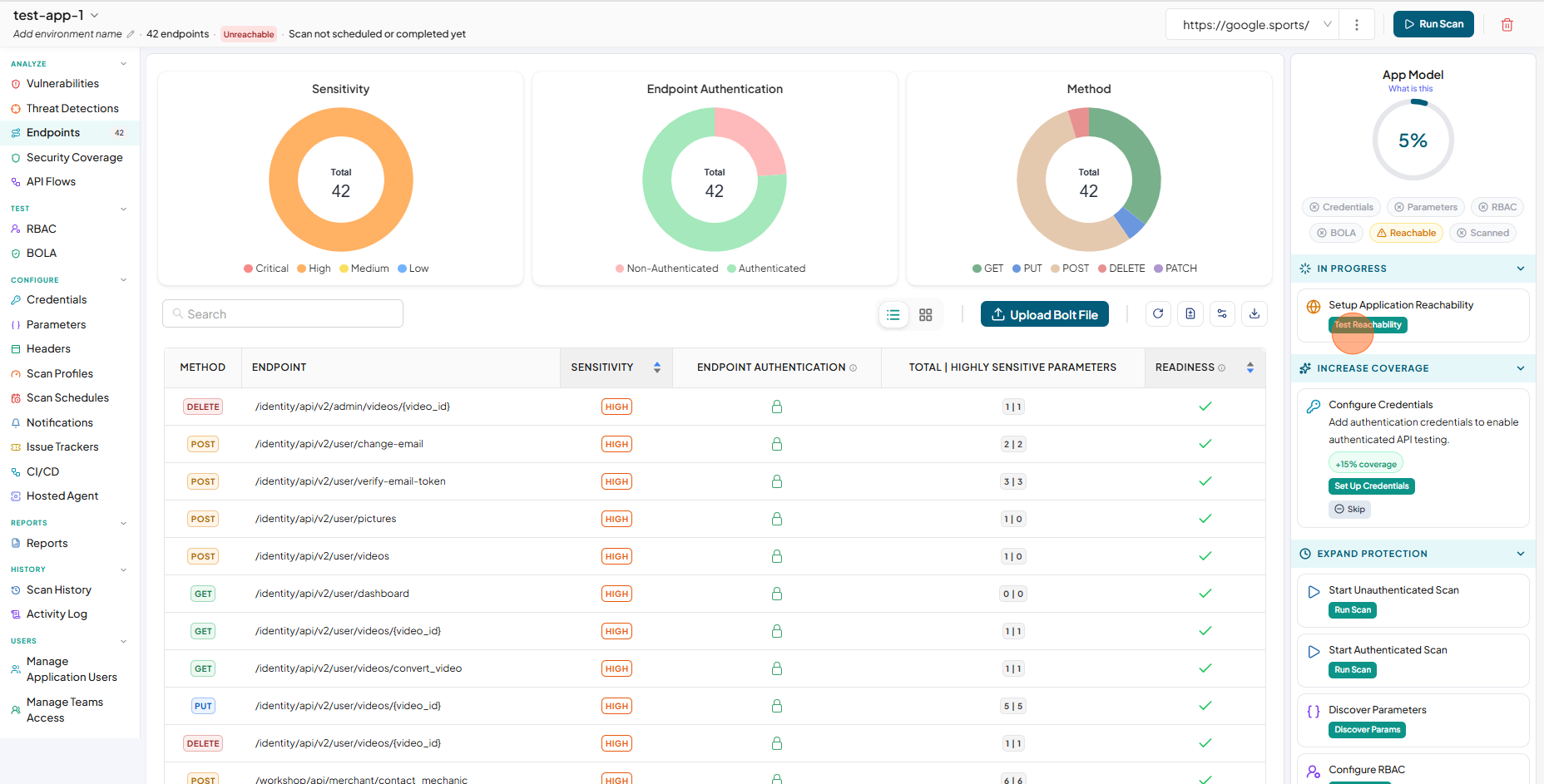
-
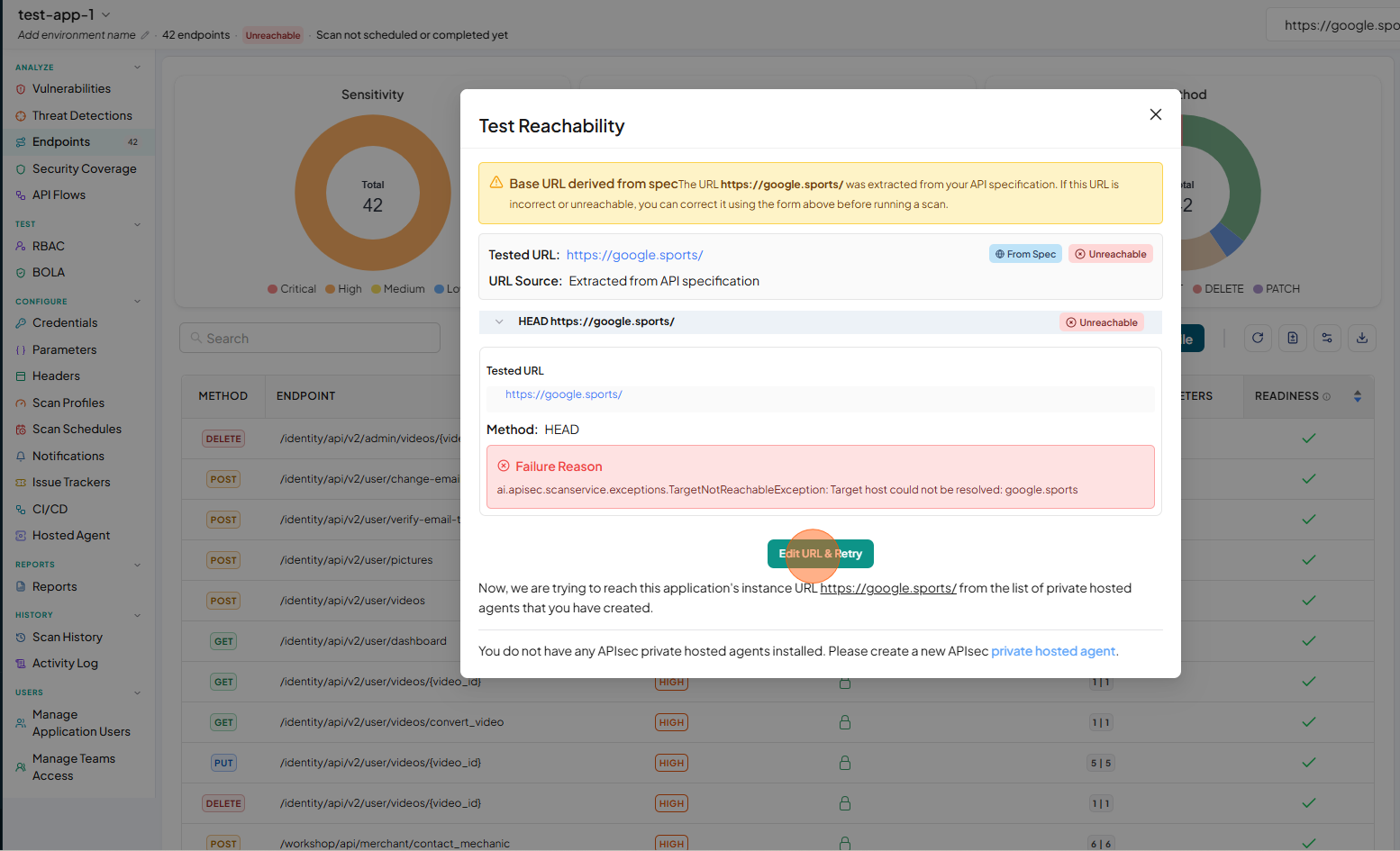
Now you will see the Test Reachability window
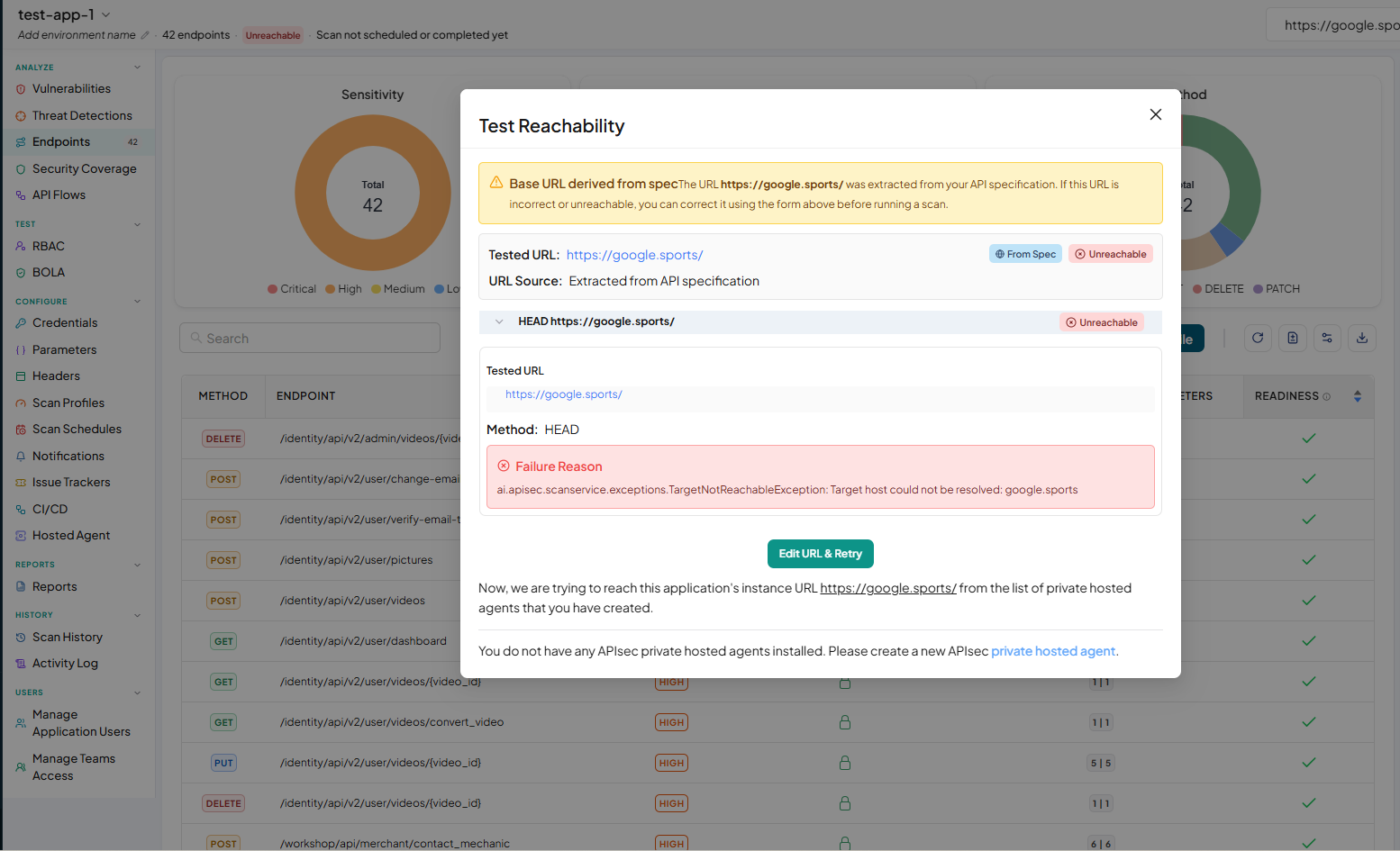
-
Click Edit URL & Retry
-
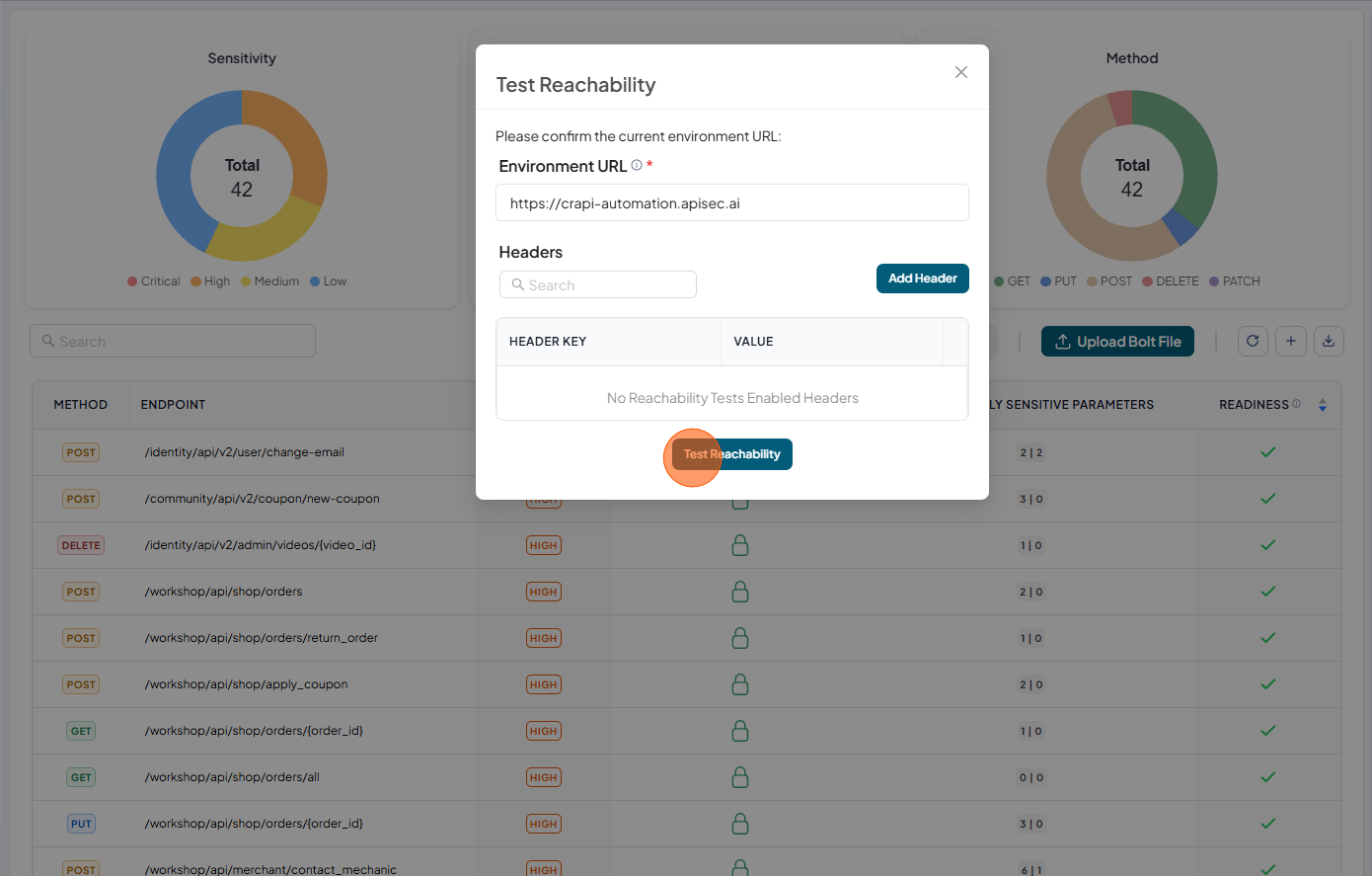
Enter reachable base URL and click Test Reachability
-
Now check in the "APP Model" where you will see Reachable is in Green