APIsec Ping Identity SSO Configuration
This document outlines the process for deploying the APIsec SaaS application to the Ping Identity application with SAML authentication, with two groups configured for access control.
Prerequisites
- Ping Identity tenant with administrative access
- APIsec login with “ADMIN” user role
1. Implementation Steps
-
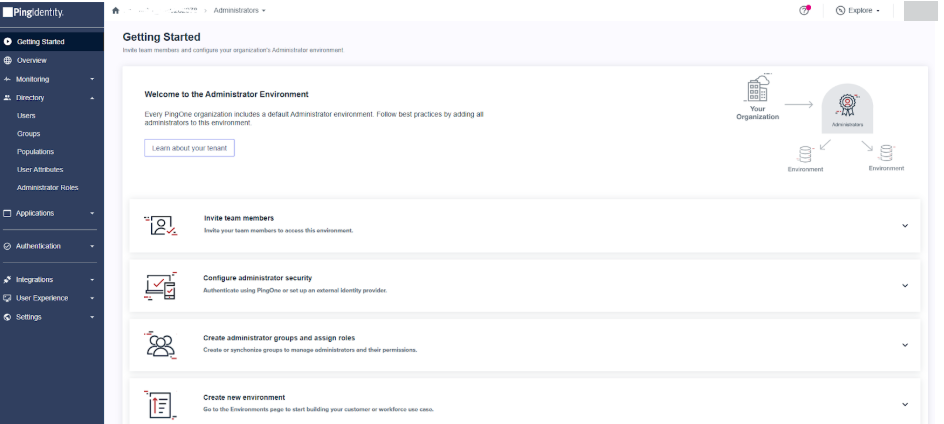
Open Ping Identity
-
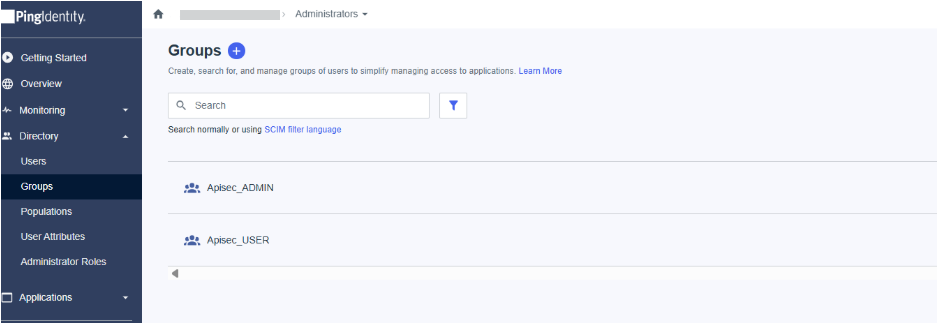
Navigate to Directory > Groups
-
Create a new group by clicking the Plus button next to Groups, add the two groups Admin and User, and save.
-
Create the first security group for the APIsec application USER role
- Group name: APISEC_USER
- Group description: This group provides access to APIsec as a USER role
-
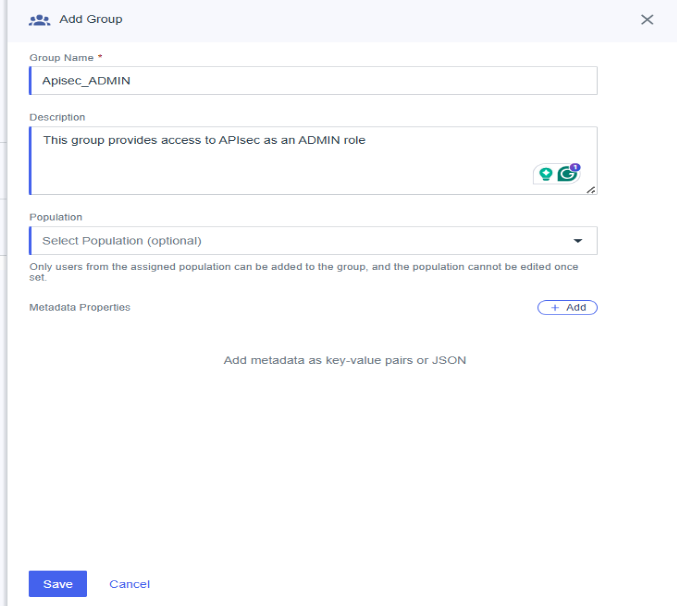
Create a second security group for the APIsec application ADMIN role
- Group name: APISEC_ADMIN
- Group description: This group provides access to APIsec as an ADMIN role
-
2. Application Registration
-
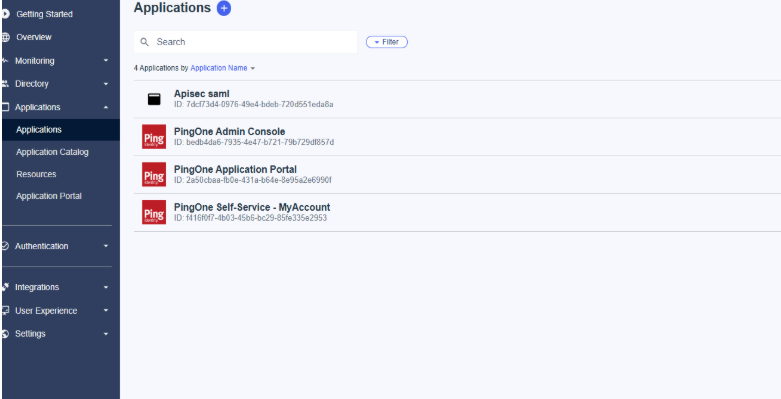
In the left navigation panel, click "Applications".
-
Add New Application
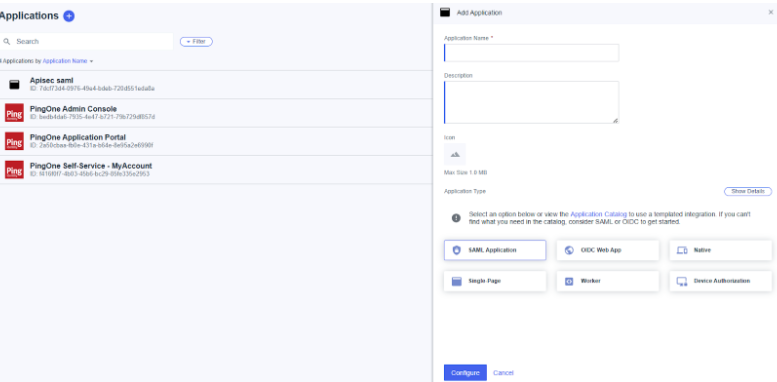
Add the application name and choose SAML Application under application type, then click Configure.
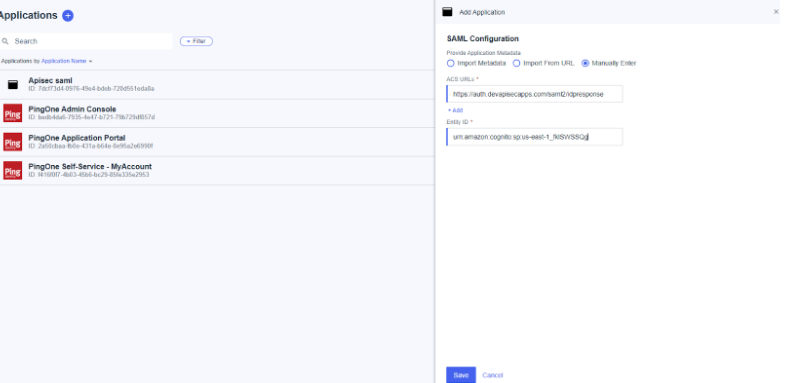
On the next page, provide the application metadata by selecting Enter manually.
Enter the ACS URL and entity ID.
These values are available in the APIsec platform under 'Setup Single Sign On' by selecting Ping Identity.
3. Update the configuration
-
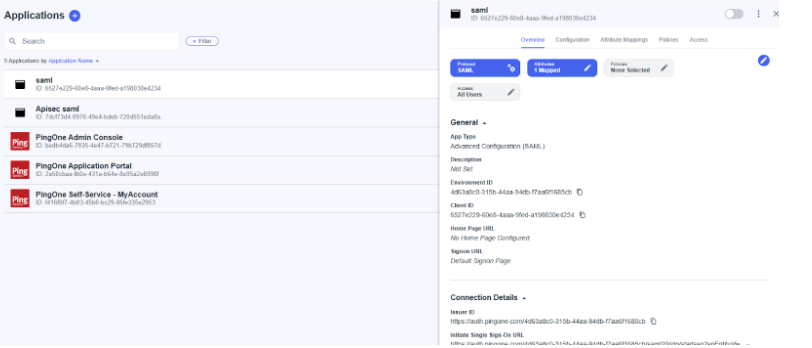
Open the SAML application you created.
-
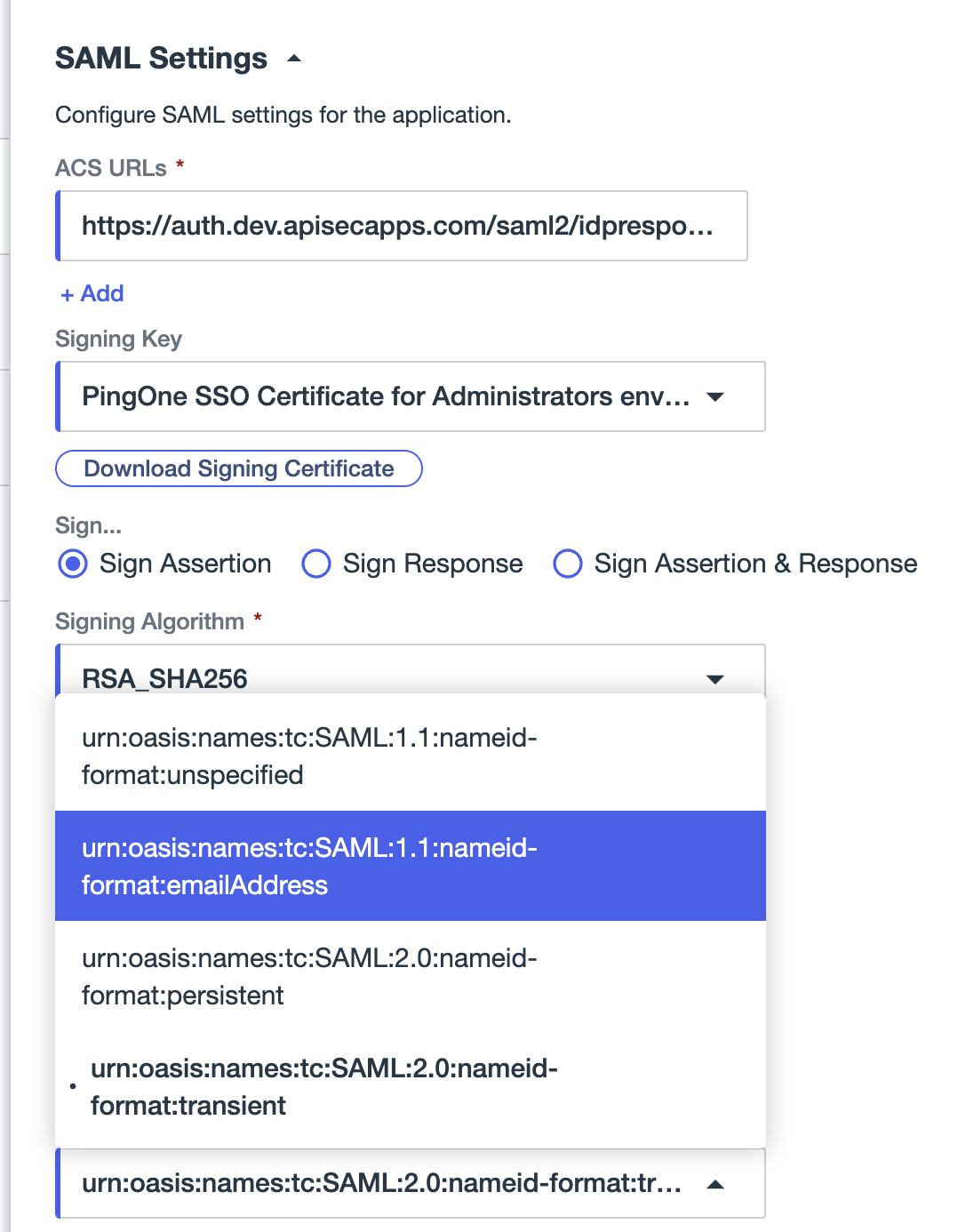
Navigate to the configuration and click edit in the top right. Update the Select Name ID format by selecting emailAddress, and click save.
-
Navigate to Attribute Mappings, enter the APIsec attributes and their corresponding PingOne values as shown in the following table, and save.
Add each APIsec SAML attribute and map it to PingOne:
APIsec SAML Claim PingOne Mapping http://schemas.xmlsoap.org/ws/2005/05/identity/claims/apisecrolesGroup Names http://schemas.xmlsoap.org/ws/2005/05/identity/claims/emailaddressUsername http://schemas.xmlsoap.org/ws/2005/05/identity/claims/displayNameGiven Name 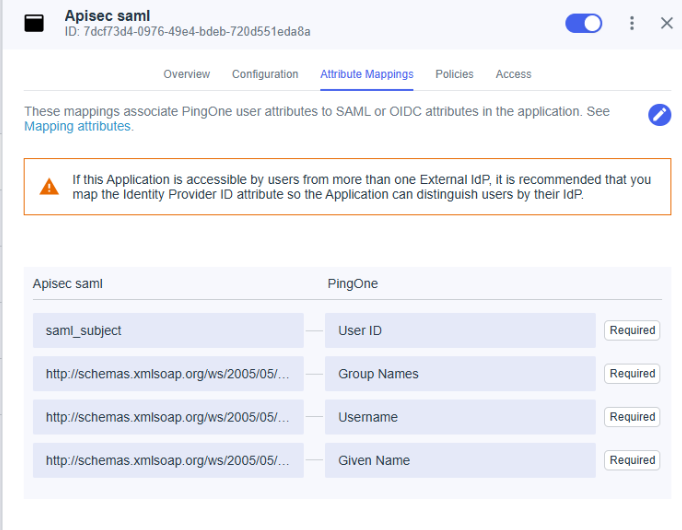
-
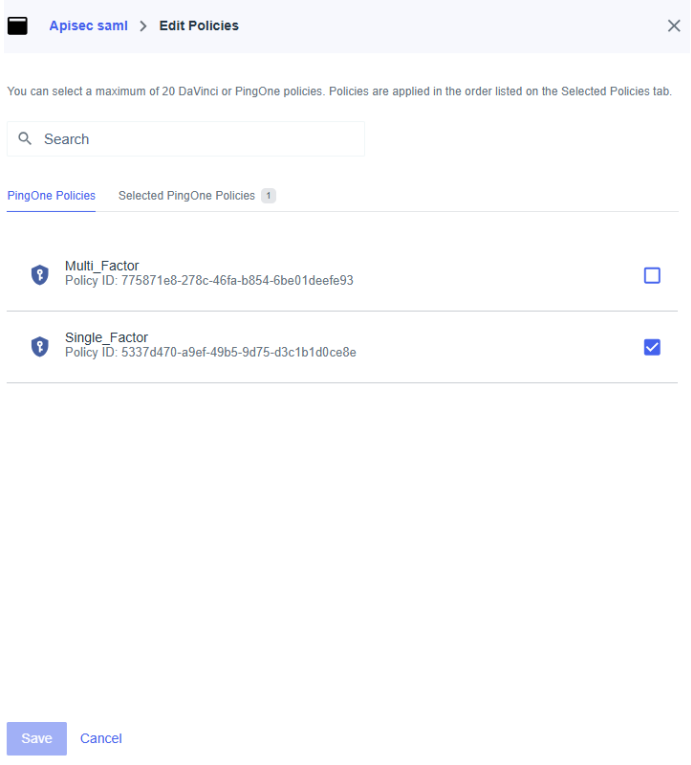
Navigate to Policies, select Single_Factor, and save.
-
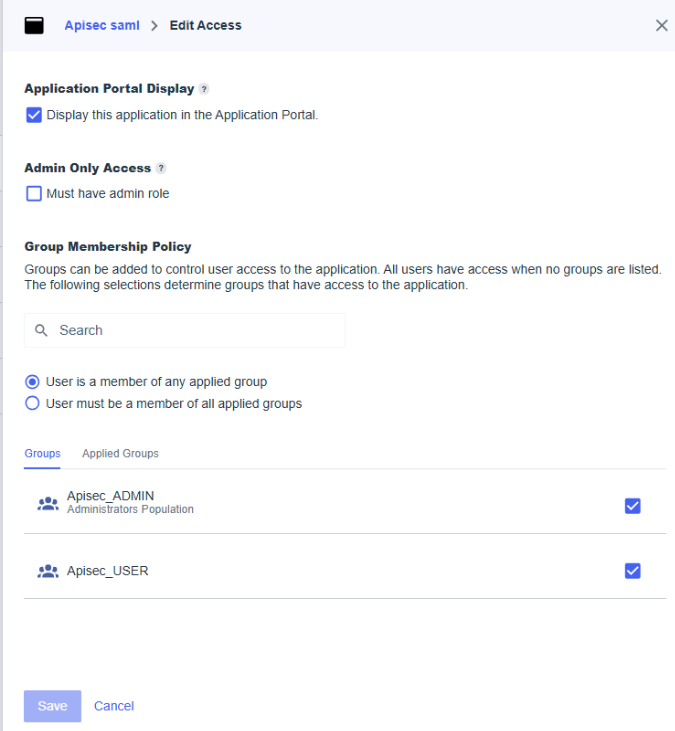
Navigate to Access, select the Group Membership Policy, and save.